Introduction Page: 11 This manual Provides instructions on operating, monitoring, controlling, and setting the protection relay.
Intended audience Addresses trained operators with basic knowledge of protection equipment operation.
Symbols Defines various icons used to indicate hazards, important information, or advice.
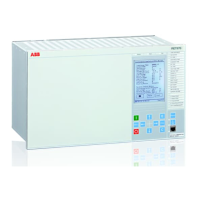
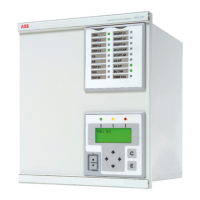
REX640 overview Page: 15 Overview Introduces the REX640 as a powerful all-in-one protection and control relay for various applications.
Relay hardware Describes the relay's hardware, including the Ready LED status indication.
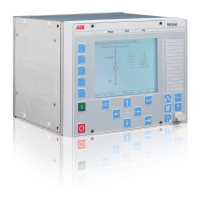
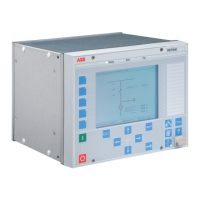
Local HMI Explains the Local Human-Machine Interface (LHMI) for setting, monitoring, and control.
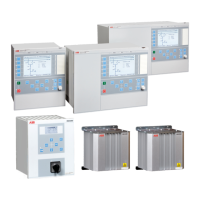
Switchgear HMI Details the Switchgear Human-Machine Interface (SHMI) for controlling multiple REX640 relays.
Bay overview area Describes the bay overview area, configurable as static pictures or dynamic SLDs for relay status.
Navigation Covers navigation through the SHMI, including panel lineup overview and bay overviews.
Web HMI Introduces the Web HMI for secure access via a web browser for relay management.
Command buttons Lists and explains command buttons used for editing parameters and controlling information via WHMI.
Using HMI Page: 31 Logging in Describes the procedure for logging into the local HMI using username and password.
Logging out Explains how to log out from the HMI session, either manually or via session timeout.
Identifying device Guides users on how to identify the device by accessing product and hardware information.
Alarms Covers viewing and acknowledging alarms on the HMI.
Viewing alarm list Guides on how to access and view the list of active and unacknowledged alarms.
Editing values Explains how to edit parameter values directly on the HMI interface.
Committing settings Describes the process of saving changed parameter values to the relay's nonvolatile memory.
Using local HMI help Explains how to access context-sensitive help information directly from the HMI.
Controlling Describes how to control switchgear objects like circuit breakers via the single-line diagram.
Bookmarking pages Explains how to create and manage bookmarks for quick navigation to frequently used HMI pages.
Using Web HMI Page: 59 Logging in Guides on accessing the Web HMI by entering the relay's IP address and credentials.
Logging out Explains how to log out from the Web HMI session, either manually or via timeout.
Navigating in menus Describes how to navigate through the main groups and submenus of the Web HMI.
Identifying device Guides on viewing device information, such as revision and serial number, via the Information menu.
Viewing dashboard Explains the dashboard view for an overview of relay status, measurements, and events.
Viewing self-supervision Details how to check the relay's self-supervision status, including internal faults and warnings.
Alarms Covers viewing and acknowledging alarms through the Web HMI.
Viewing alarm list Guides on accessing and viewing different alarm views (Persisting, Fleeting, Available).
Showing parameters Guides on displaying and filtering parameters using the Import/Export function.
Editing values Explains how to edit parameter values through the Web HMI interface.
Viewing fault records Explains how to view and manage fault records, including saving and printing options.
Importing settings Explains how to import relay settings from files, ensuring correct relay compatibility.
Using Web HMI help Explains how to access context-sensitive help within the Web HMI interface.
Troubleshooting Page: 86 Fault tracing Provides systematic steps for tracing and identifying various types of faults.
Self-supervision Explains the relay's self-supervision system for monitoring hardware, software, and external circuits.
Internal faults Details the causes, indications, and recovery procedures for internal relay faults.
Warnings Describes how warnings are indicated and what actions to take for them.
Commissioning Page: 111 Checking CT circuits Provides guidance on verifying the wiring and connections of Current Transformer (CT) circuits.
Checking VT circuits Covers checks for Voltage Transformer (VT) circuits, ensuring correct wiring and phase relationships.
Authorizations Discusses user management, roles, and password policies for accessing the relay.
User authorization Explains predefined user categories, rights, and password character acceptance.
Ethernet ports Explains the use of primary and secondary IP addresses for Ethernet ports.
Protocol control Details how to allow or block different communication protocols on network interfaces.
Testing functions Explains how to activate/deactivate output signals for protection functions during testing.
Checking SMV data Explains how to check Sampled Measured Values (SMV) data exchanged by the relay.
Using HMI Client Explains how to launch and use the HMI Client from PCM600 for viewing HMI pages.



 To Next Page


 General