REX640 1
X0/HMI
X1/LAN A
X2/LAN B
X3
REX640 1
X0/HMI
X1/LAN A
X2/LAN B
X3
REX640 1
X0/HMI
X1/LAN A
X2/LAN B
X3
REX640 2
X0/HMI
X1/LAN A
X2/LAN B
X3
REX640 2
X0/HMI
X1/LAN A
X2/LAN B
X3
REX640 2
X0/HMI
X1/LAN A
X2/LAN B
X3
REX640 3
X0/HMI
X1/LAN A
X2/LAN B
X3
REX640 3
X0/HMI
X1/LAN A
X2/LAN B
X3
REX640 3
X0/HMI
X1/LAN A
X2/LAN B
X3
LHMI
X1.1
MainUn it
X1.2
Service
LHMI
X1.1
MainUn it
X1.2
Service
Switch
LHMI
X1.1
MainUn it
X1.2
Service
LHMI
X1.1
MainUn it
X1.2
Service
LHMI
X1.1
MainUn it
X1.2
Service
LHMI
X1.1
MainUn it
X1.2
Service
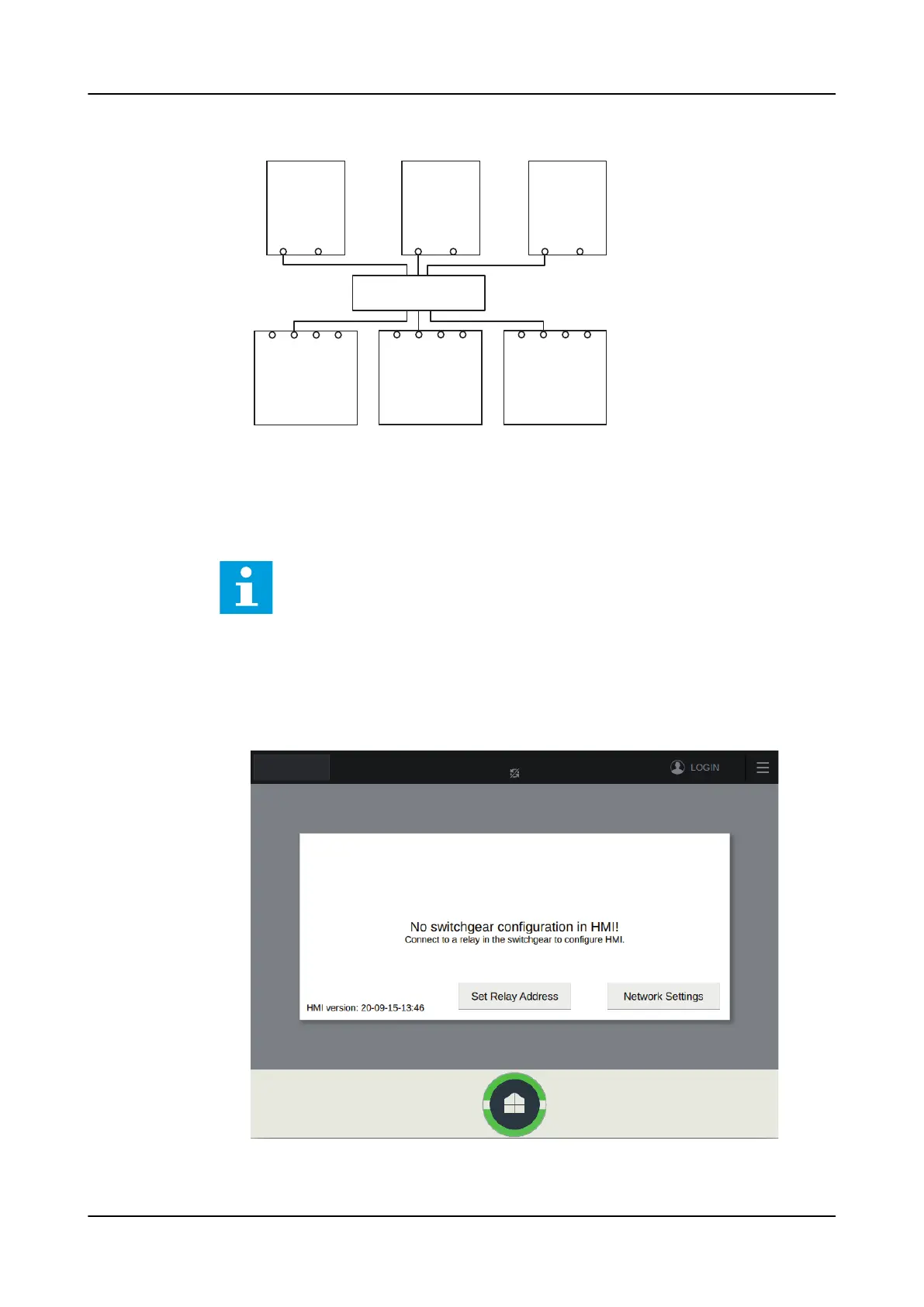
Figure 108: Example of local HMI connection through station network
7.4.3.3 Connecting switchgear HMI to a relay through station network
This chapter describes connection and next chapter pairing process.
PCM600 or WHMI can be used to read the network settings of the relay's station
port via Configuration> Communication> Ethernet> Network1 address.
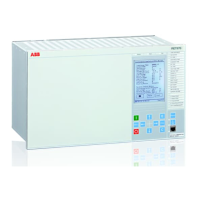
1. On the SHMI, tap Network Settings to configure the network settings of the
main unit port X1.1.
Network settings are also available as an Advanced page.
Figure 109: Opening the Network Settings page
1MRS759118 D
Commissioning
REX640
Operation Manual
131









 To Next Page