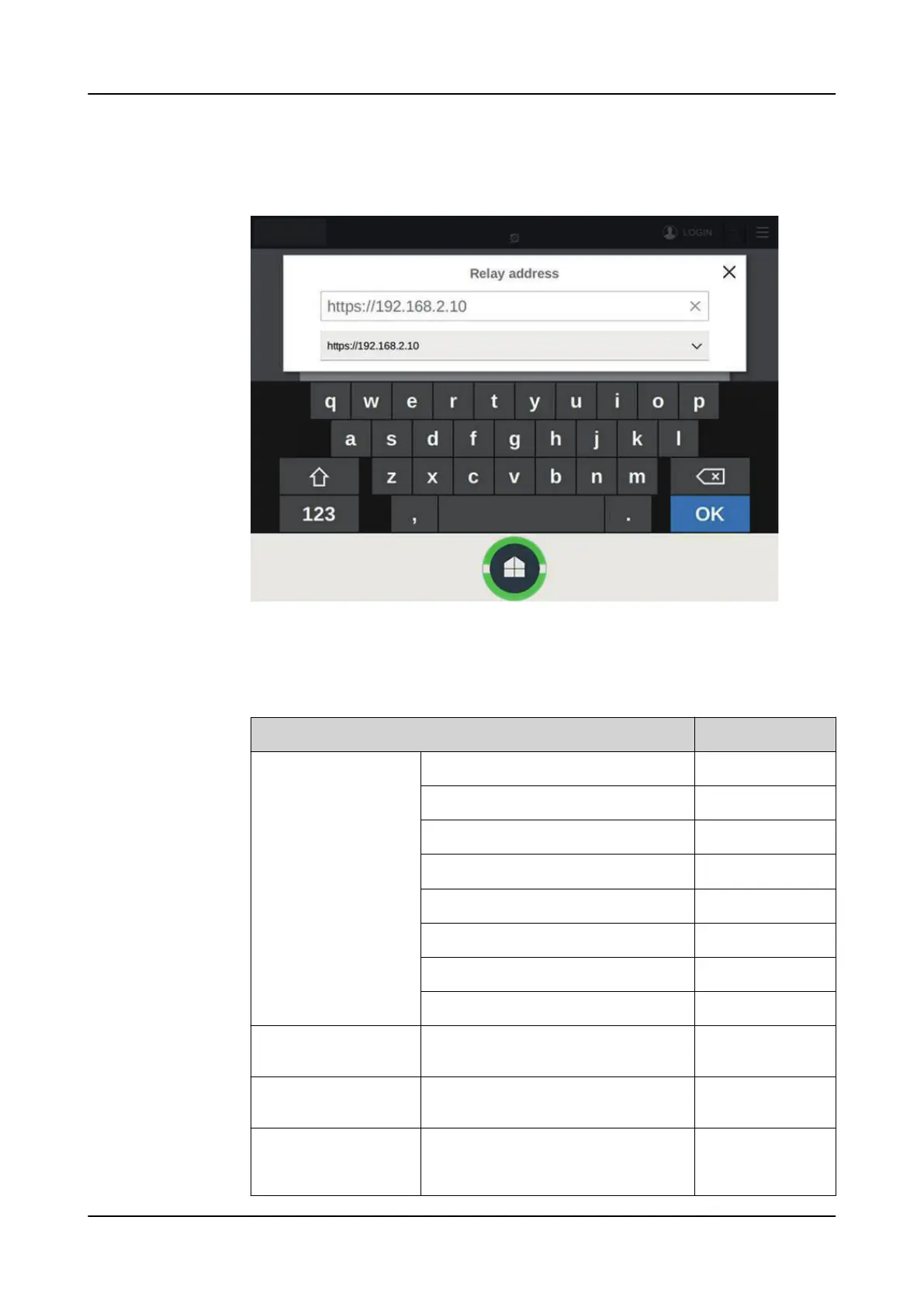
6. In the Relay address dialog box, type the relay's address found in
Configuration> Communication> Ethernet> Network1 address and tap OK.
The LHMI connects to the relay through the station port.
Figure 107: Typing the relay IP address
Table 25: Example of communication settings for the local HMI connection
through station network
Parameter
Value
HMI communication pa-
rameter
Main Unit Port/Automatic Address Not checked
Main Unit Port/Address 192.168.2.123
Main Unit Port/Netmask 255.255.255.0
Main Unit Port/Gateway Not checked
Main Unit Port/Gateway Address -
Service Port/Address 192.168.1.1
Service Port/Netmask 255.255.255.0
Service Port/Enable DHCP server Checked
REX640 communication
parameters
Configuration/Communication/ Ether-
net/Network1/IP address
192.168.2.10
Configuration/Communication/ Ether-
net/Network1/Subnet mask
255.255.255.0
Service PC network
adapter for HMI service
port
IP address Obtain automatical-
ly
Commissioning 1MRS759118 D
130 REX640
Operation Manual










 To Next Page