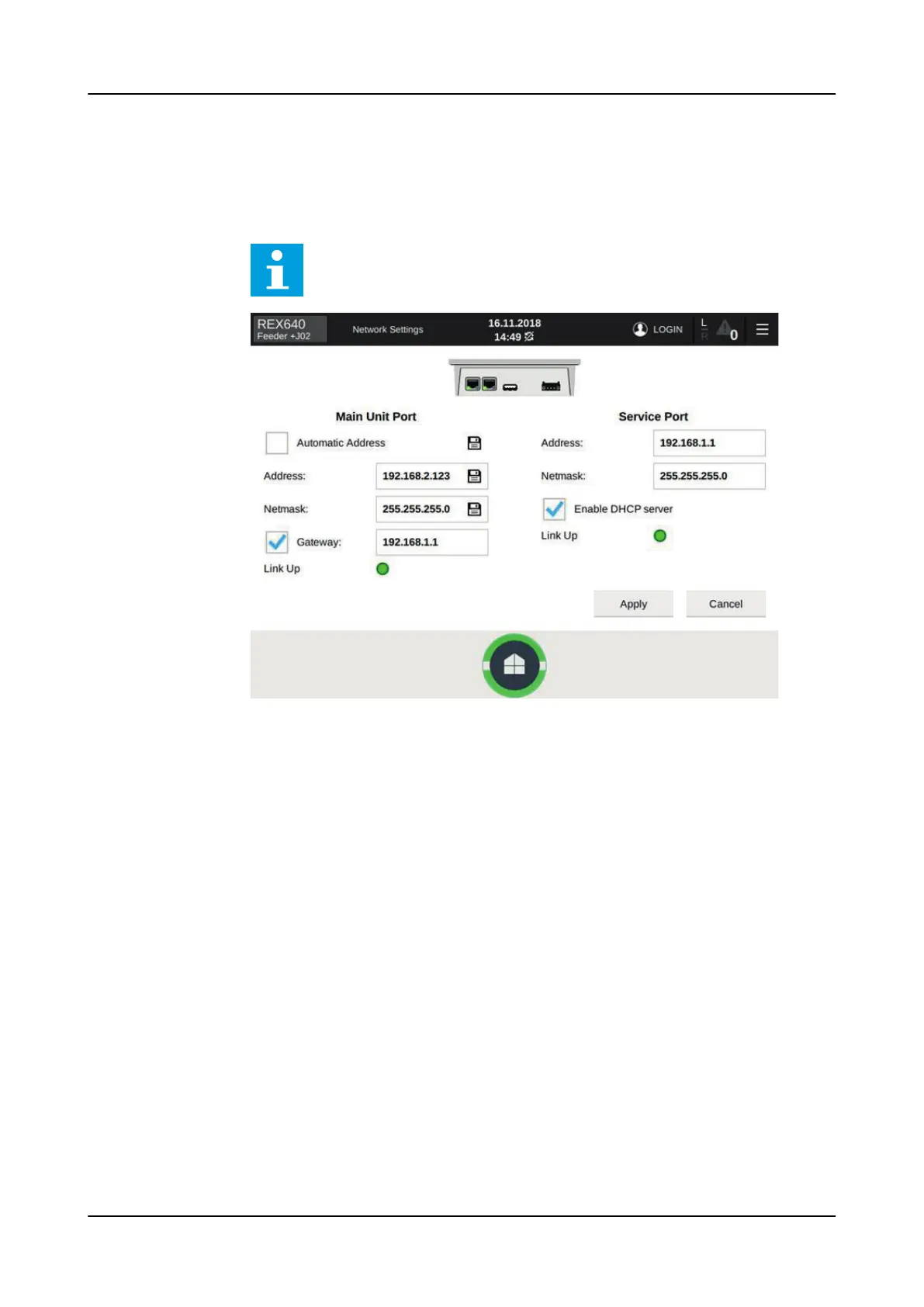
2. On the Network Settings page, clear the Automatic Address check box and edit
the network settings of the LHMI's main unit port.
Address and Netmask settings should match the relay settings found in
Configuration> Communication> Ethernet> Network1 address.
Enter the IP address for the LHMI’s main unit port, not the relay’s
station port. If a router is used between the relay and the LHMI,
check the correct gateway IP address.
Figure 106: Configuring the network settings of the main unit port
3. Tap Apply and close the Network Settings page.
4. Connect a network cable between the LHMI and the relay station port or
network switch.
5. In the No connection between local LHMI and Relay! dialog box, tap Set Relay
Address.
1MRS759118 D
Commissioning
REX640
Operation Manual
129










 To Next Page