31
Language
Language
Language
Language
32
Language
Language
LanguageLanguage
Viewing Blood Glucose Averages
IMPORTANT:
•Set the date and time before testing to be able to review averages
•Averages do not include glucose and β-Ketone control solution results, blood β-Ketone
results, and results that do not show time and date
•Control solution results not marked as control solution tests may cause averages to be
inaccurate
• appear on the display when there are no current averages to view
•
blood glucose test results appear in averages as 1.1 mmol/L (20 mg/dL)
•
blood glucose test results appear in averages as 27.8 mmol/L (500 mg/dL)
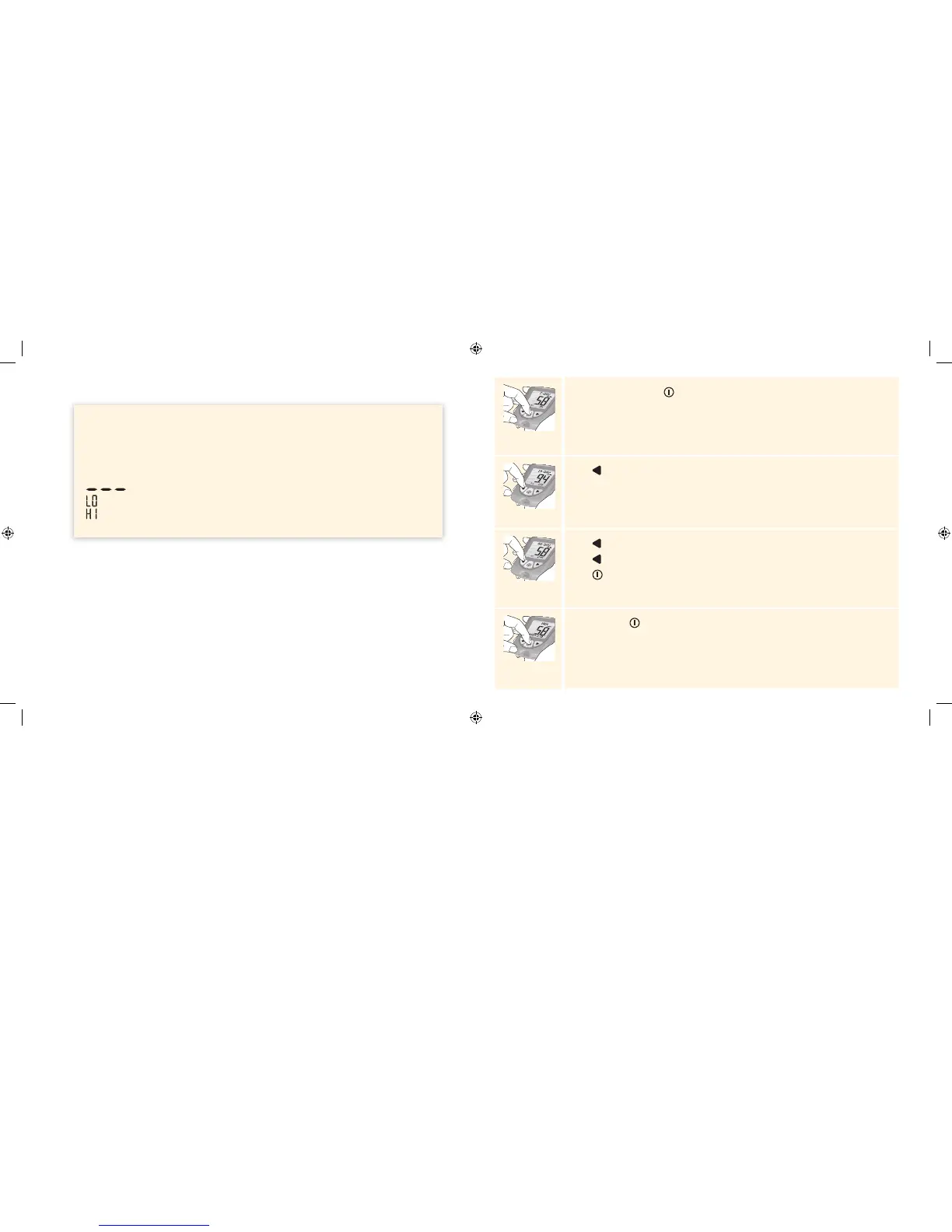
While in memory, press . Your 7-day average appears.
Note: n = number of results included in your 7-, 14-, or 30-day average.
Press to view the 14-day average.
Press to view the 30-day average.
Press to return to the 7-day average, or
Press to return to the memory screen.
Press and hold to turn o the meter. The meter turns o after 30 seconds
of inactivity.
ART20287_Rev-A-Man.indd 31-32 11/17/10 3:01 PM















 To Next Page