American Beer Equipment 2001 SW 6
th
St.
Lincoln, NE 68522
32
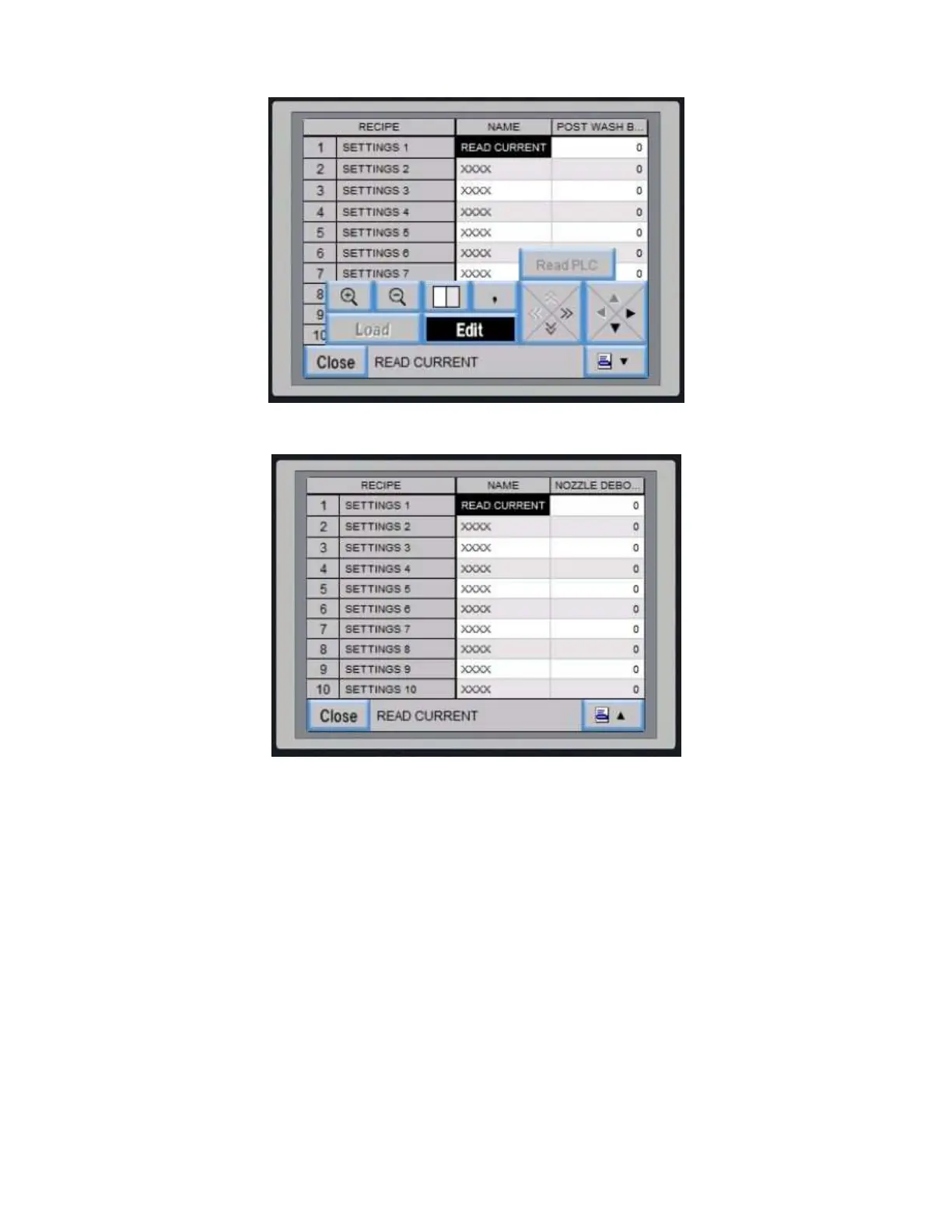
Figure 24 Main Timing Saves Screen with Second Row Selected
Figure 25 Main Time Saving Screen Asking to Read from PLC
Different time setting profiles, or recipes, can be saved on the CraftCan system. This is valuable for different beers or
cans. Once you like a specific profile, you can go back to it.
Saved setup screen
Pressing “Main Timing Saves” button brings up spreadsheet screen.
Select left column number to highlight entire row
Edit button will be black. Select edit button and it turns white and “read PLC” Button becomes live.
Select read PLC button and you will be asked “Read Data from PLC and Overwrite Selected Row?”
Choose “OK” to proceed.
All current data is saved in the selected row.


 To Next Page