3-6 IB9
3.8 Build A Driver Disk Under Windows Environment
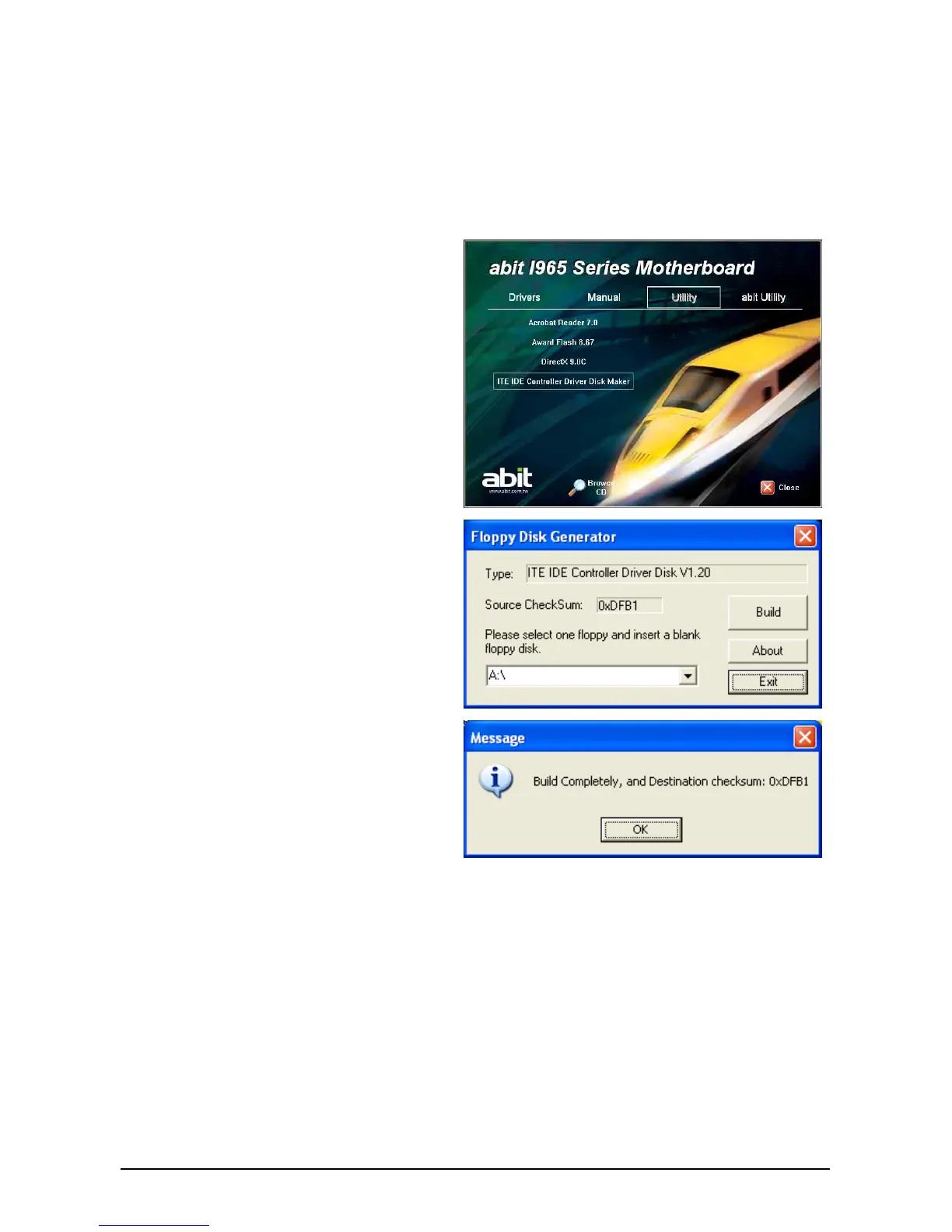
This utility is used to build the driver program for IDE controller into a floppy disk under
Windows environment.
※ Connect a 3.5” floppy disk drive to the “FDC1” connector on this motherboard
before entering Windows operating system.
To create a driver disk:
1. Click on the [Utility] tab in the
installation menu screen.
2. Click the [ITE IDE Controller Driver Disk
Maker] item. The installation screen
appears.
3. Insert one blank floppy disk to the
selected floppy drive and click [Build].
4. Click [OK] to finish building the SATA
Driver Disk.
5. Click [Exit] to exit this utility.


 To Next Page