E-2 Appendix E
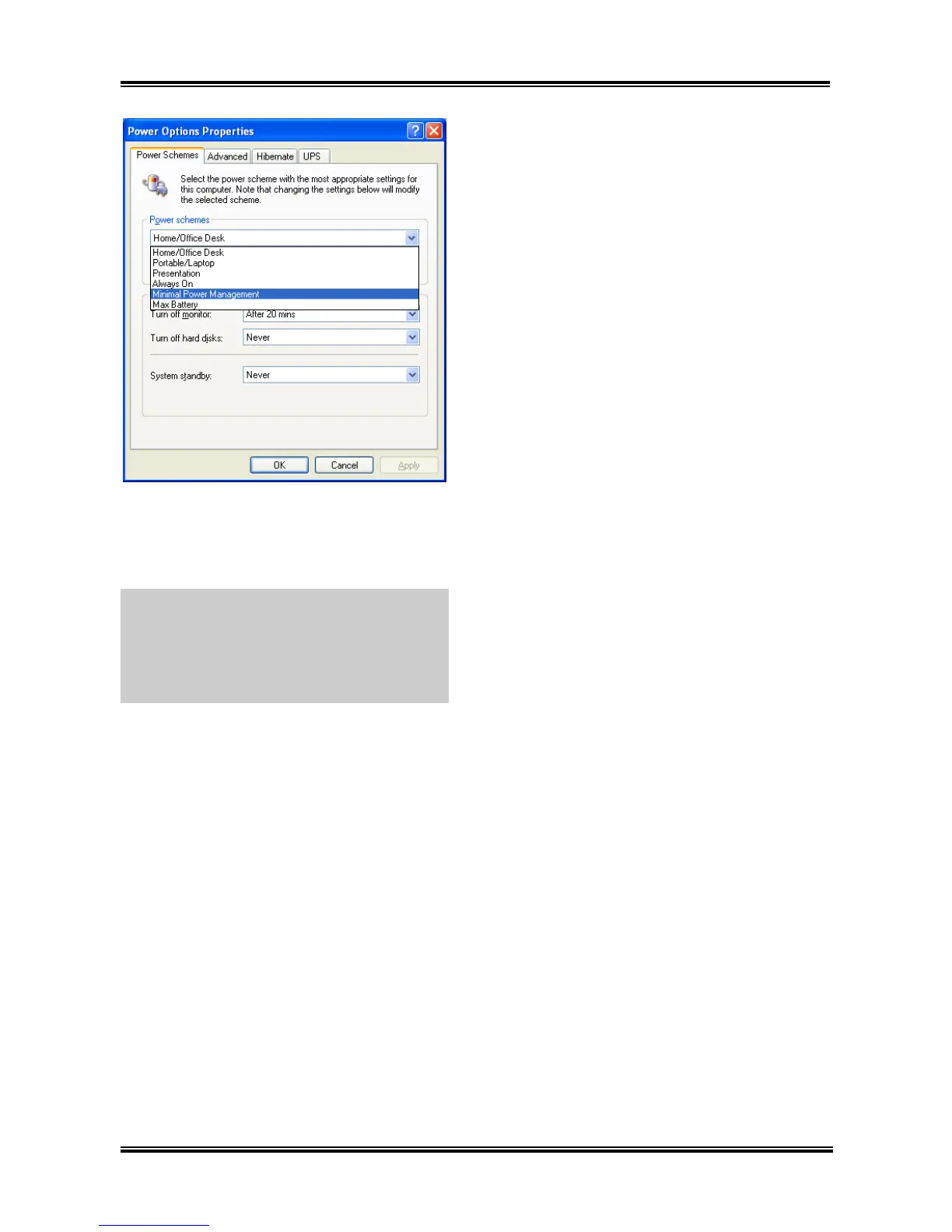
6. After the system restarted, open the “Power
Options” from the control panel and choose the
power scheme “Minimal Power Management”
to enable Cool ‘n’ Quiet.
NOTE: For Windows 2000 or ME system, an
AMD Cool ‘n’ Quiet tab will appear under
“Power Options” when the Cool ‘n’ Quiet
software for Windows 2000 and ME is installed.
This must be set to “Automatic Mode” for Cool
‘n’ Quiet to be enabled.
UL8


 To Next Page