6. Troubleshooting
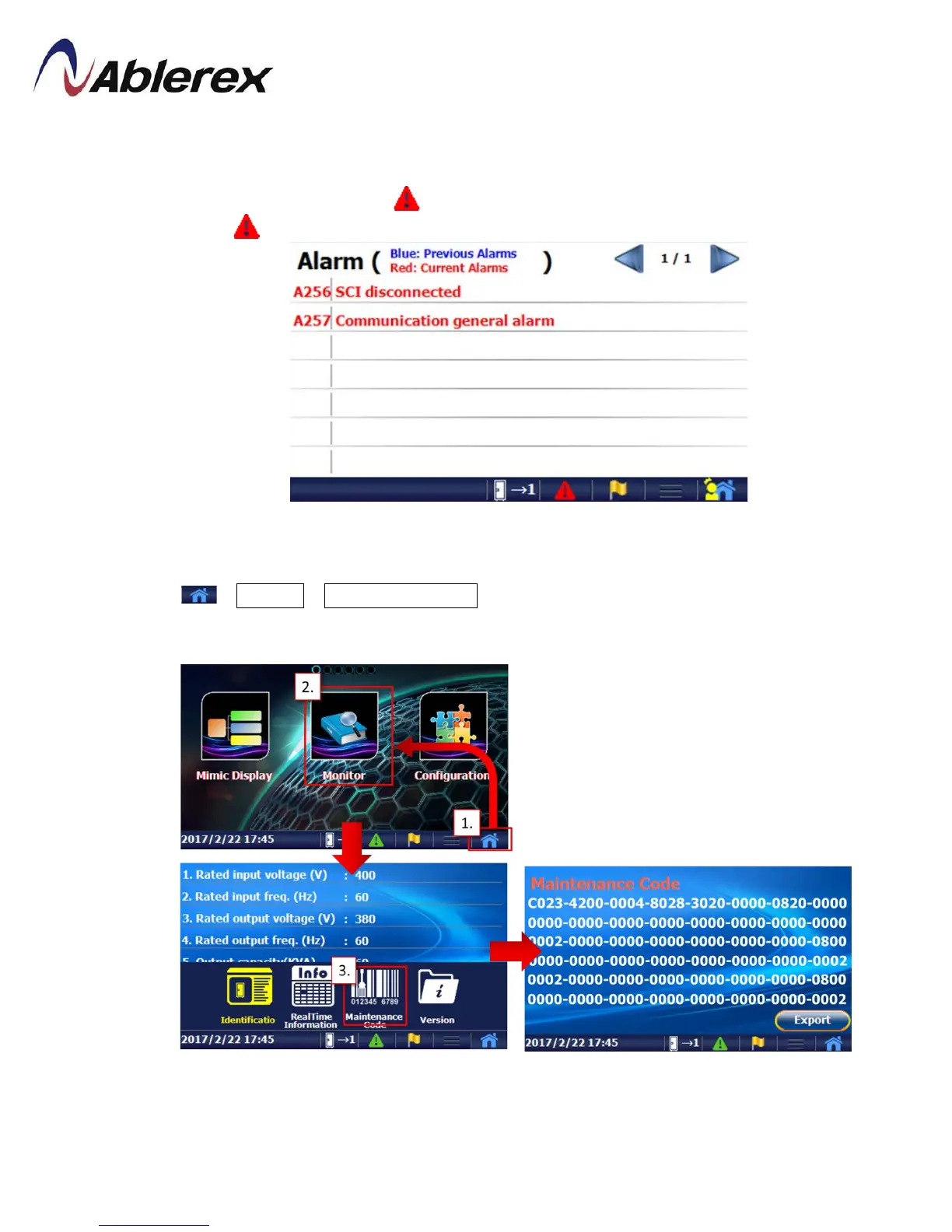
In the event of failure, the display area on the control panel will highlight the problem
area in red. The“Alarm”symbol will also blink to warn that there is a problem with the
UPS. Click to have an alarm list as below picture.
We recommend checking the error code using the following method when
troubleshooting:
Click →Monitor→Maintenance Code to bring up the screen shown below. If you can
provide the maintenance code to the authorized distributor, this will speed up
troubleshooting. You also can click “Export” to save the maintenance code in SD card.
56
192321262008007





 To Next Page