93
7.4 Playback
In this menu, recordings can be searched for on the corresponding data storage device or drive and
downloaded to the PC (e.g. SD card).
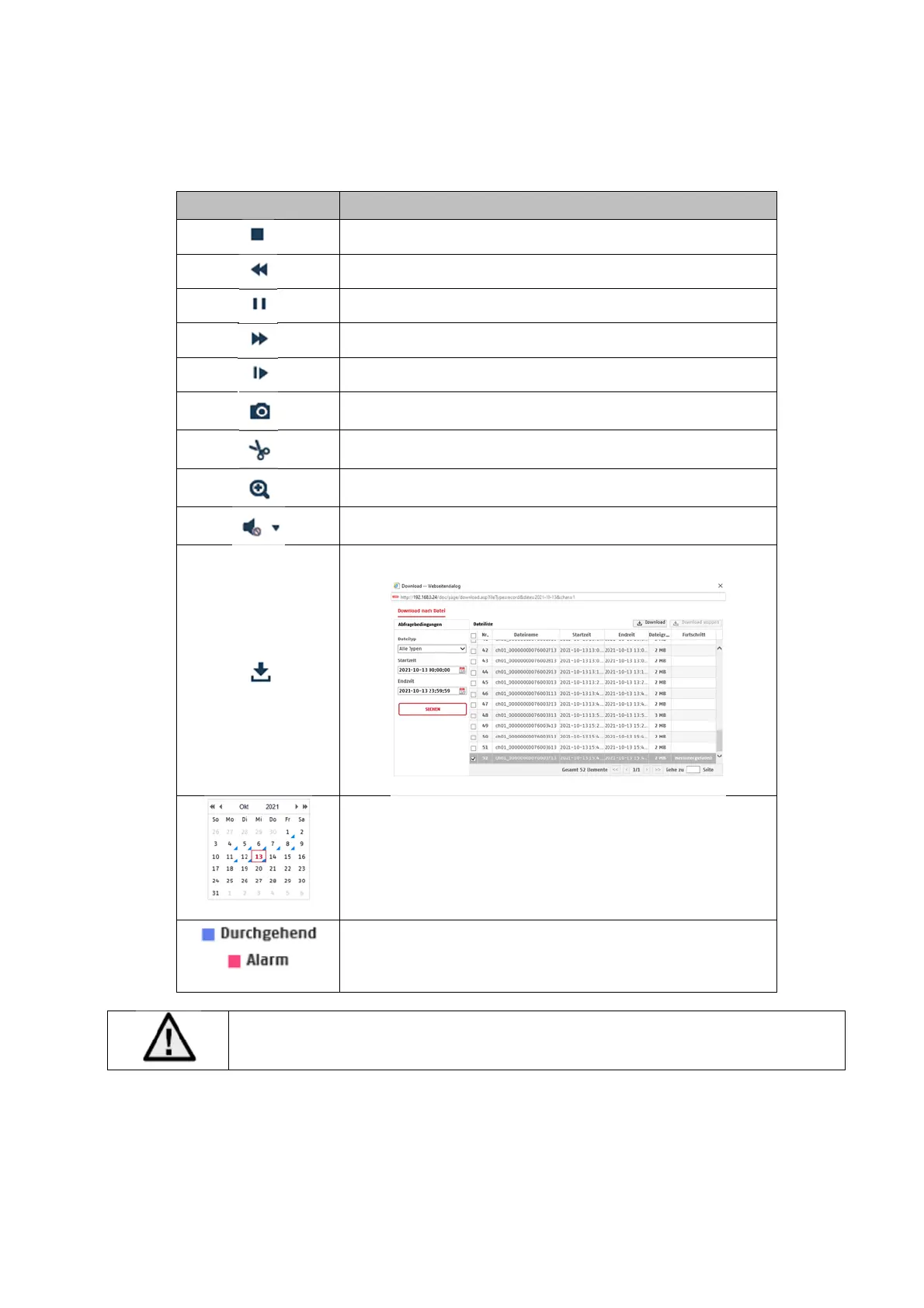
Button Description
Stop playback
Slow Forward
Pause
Fast Forward
Frame forwards
Save single frame to PC
Video clip function
Digital zoom (also during playback)
Activating the loudspeaker on the PC, incl. volume setting
Downloading recorded video files
Calendar with day selection. A blue triangle indicates that
recordings exist for a particular day.
Marking of the recording type (continuous recording, event
recording)
It may be necessary to start the browser with so-called admin rights in order to
successfully save files on the PC.



 To Next Page