101
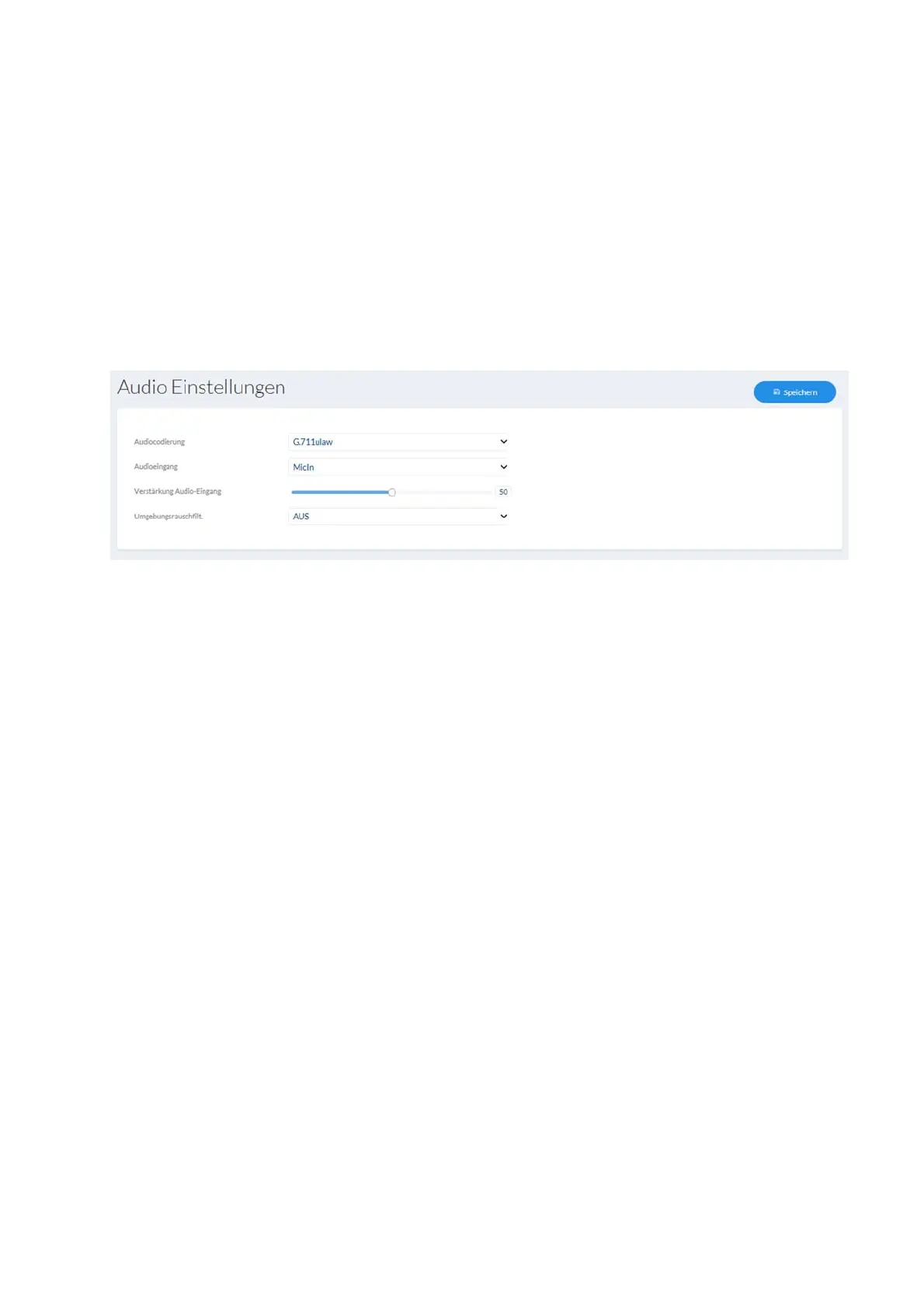
7.6 Audio (if supported by the camera model)
Audio encoding: select the audio encoding for audio transmission here (G.722.1,
G.711ulaw, G.711alaw, MP2L2, G.726).
Audio input: enables the audio input (only for cameras with built-in microphone
and microphone input).
Input volume: adjustment of the input amplification for the microphone.
Environmental noise filter: enable the digital noise reduction function for audio transmission
here.
7.7 PTZ
7.7.1 General settings
General settings for PTZ control, e.g. control speed
Enable proportional pan: Pan and tilt speeds are reduced in proportion to the zoom
factor.
Enable preset freezing: The video stream is paused briefly as the system switches
from one preset to another.
Preset speed: PTZ speed when retrieving a preset.
Manual speed: PTZ speed for manual control.
Auto-scan speed: PTZ speed for auto-scan action.
Zoom speed: General setting for the zoom speed.
Zoom status: On-screen display duration for the zoom status.
PT status: Angle display duration for the pan/tilt viewing direction.
Preset status: Display duration for the preset number.
Resume time: When the Dome is restarted, resume the action performed
xx seconds before the restart.



 To Next Page