78
6.2 Displaying/downloading a recording from the internal memory
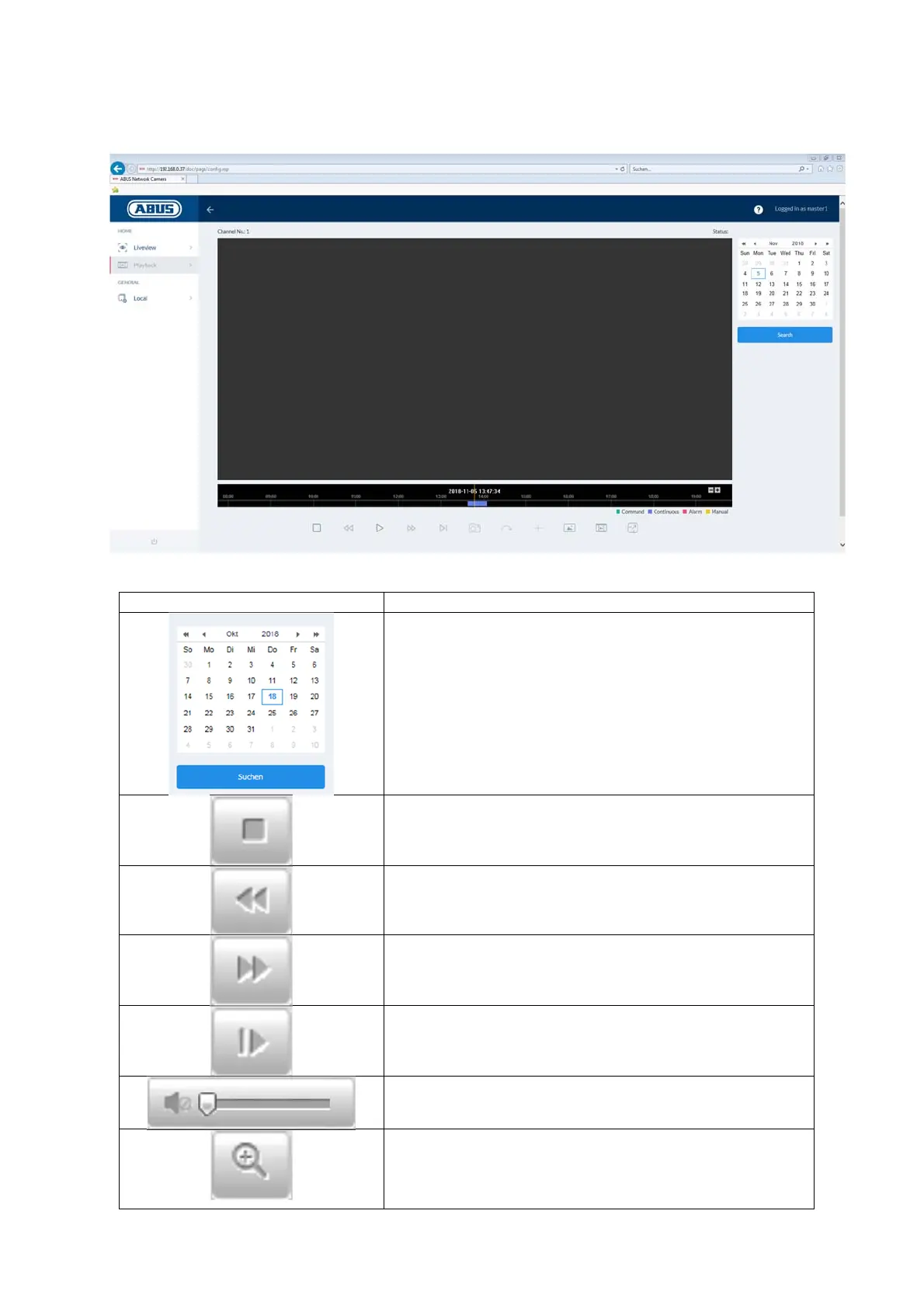
Symbol Explanation
Selection of the date when searching for a recording.
If data are found on the SD card, they are displayed in
the playback bar by record type.
First select a date and then click "SEARCH".
Stop playback
Slow playback (forwards)
Fast playback (forwards)
Frame forwards
Playback volume (if recording contains audio data)
Enable digital zoom. Then hold down the left mouse
button to draw a rectangle in the video area. The
digital zoom is applied to this area. Pressing this
button a second time closes the digital zoom mode.



 To Next Page