77
6.1 Local configuration
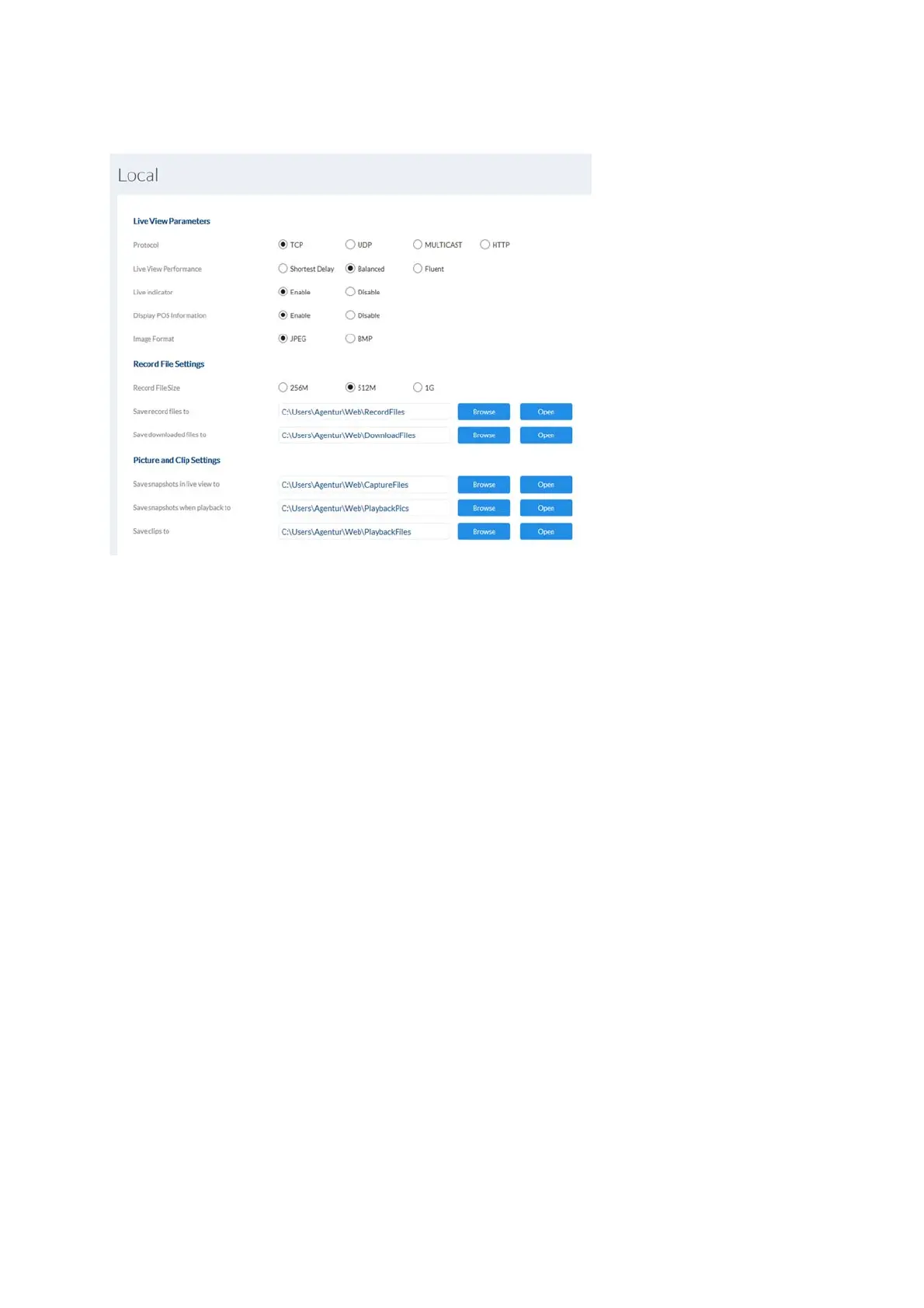
Protocol: Setting the transmission protocol (default: TCP)
Live view performance: Select the priority for display in the browser here (priority on
image stream or image quality).
Live indicator: Display of all event animations in the live image (e.g. frame for
motion detection). These animations are also recorded to the
recording device.
Image format: Select the encoding format for saving single frames using the
browser live interface.
Record file size: Select the size of video sequences for saving
videos using the browser live interface.
Save record files to: Select the path for video recording.
Save downloaded files to: Select the path for video files downloaded from
the SD card.
Save live snapshots to: Select the encoding format for saving images using
the browser live interface.
Snapshots during playback: Select the path for saving images during playback.
Save clips to: Select the path for saving video clips during playback.



 To Next Page