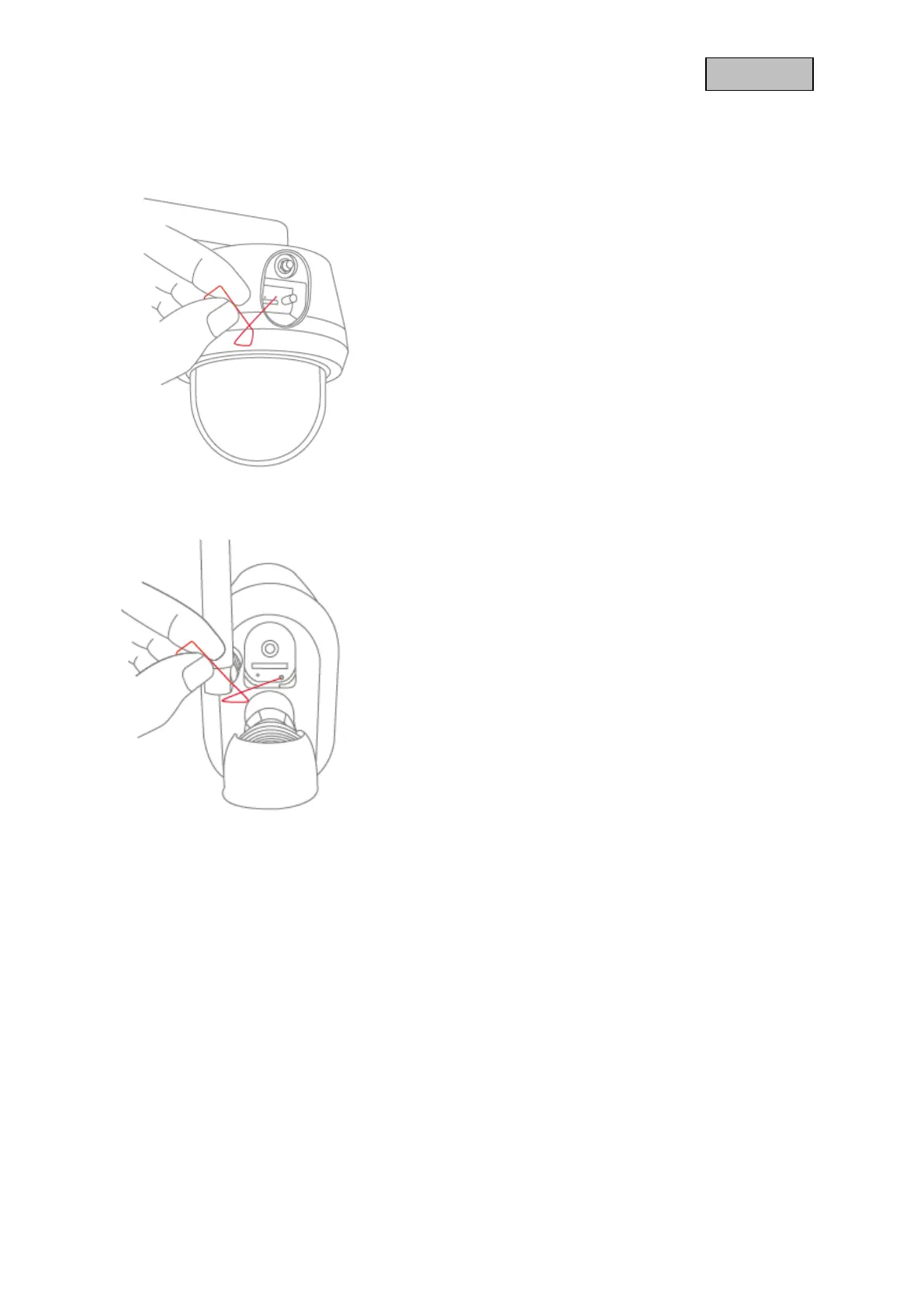
3.2. Restore factory settings
3.2.1. PPIC42520 / PPIC42520B
If there are difficulties during setup or you have forgotten the
access data (security code or admin password), reset the
camera to factory settings:
Open the cover on the back of the camera using an Allen key
and press the reset button for at least 3 seconds using a thin
object (e.g. the microSD card removal tool or a paper clip) until
the power LED flashes.
3.2.2. PPIC44520 / PPIC44520B
If there are difficulties during setup or you have forgotten the
access data (security code or admin password), reset the
camera to factory settings:
Open the cover on the back of the camera using an Allen key
and press the reset button for at least 3 seconds using a thin
object (e.g. the microSD card removal tool or a paper clip) until
the power LED flashes.



 To Next Page