EasyManua.ls Logo

Abus PPIC42520 - Setup Camera; Bluetooth Setup

Abus PPIC42520
58 pages
Print Icon
To Next Page IconTo Next Page
To Previous Page IconTo Previous Page
Loading...
22
English
5.3. Setup camera
5.3.1. Bluetooth setup
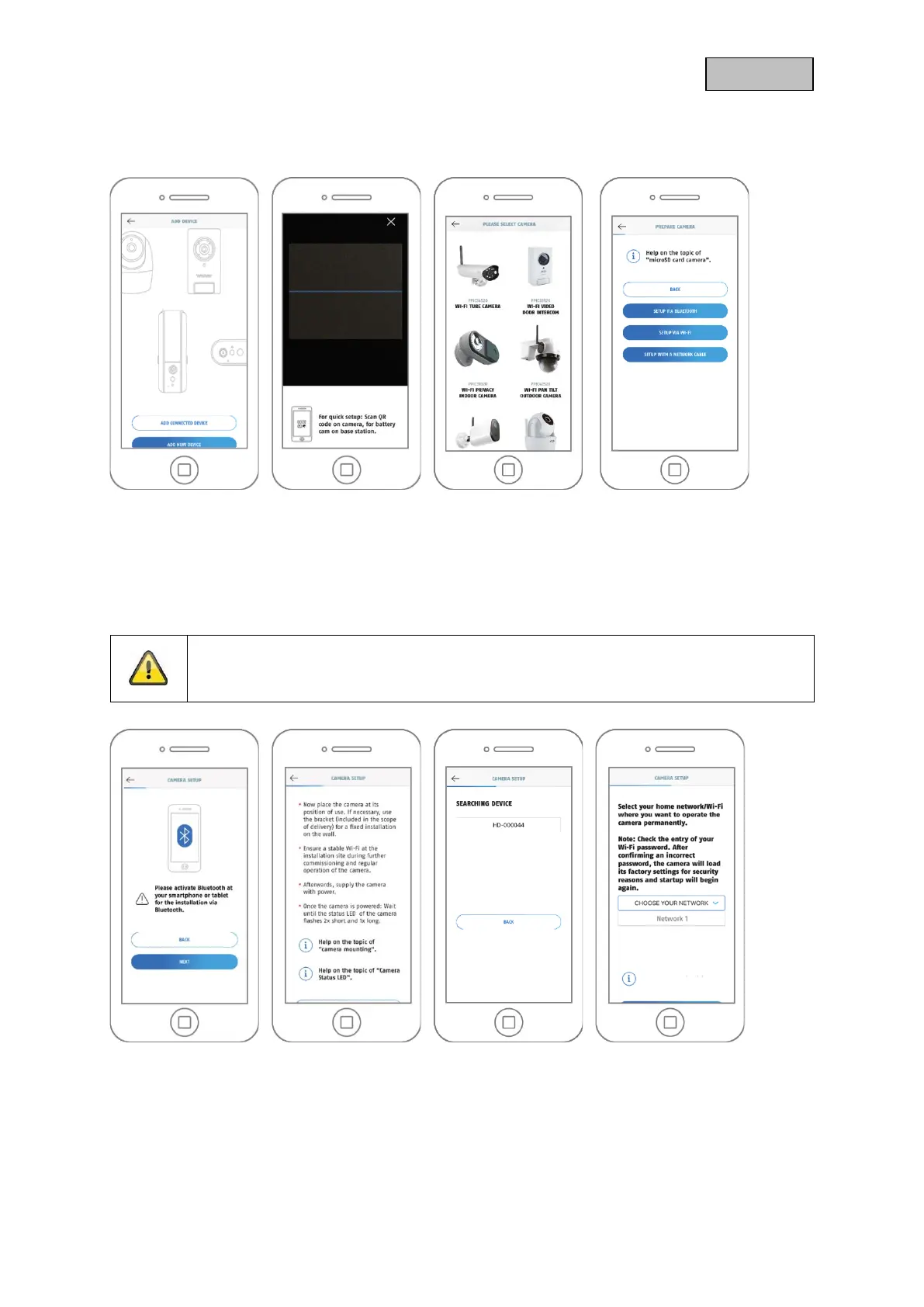
1 2 3 4
1. Start the App2Cam Plus and select "Add new device" to start the setup.
2. Option 1: Scan the QR code on the back of the camera.
3. Option 2: Select your camera model.
4. Select "Setup via Bluetooth".
Note
For optimal start-up, the camera and the smartphone/tablet must be as close to each
other as possible, at a maximum distance of 3 metres.
5 6 7 8
5. If you have not already done so: Activate Bluetooth in the settings of the mobile device. Then tap
on "Next".
6. Now supply the camera with power and wait 2 minutes until the camera has started. Then tap on
"Next".

Table of Contents

Other manuals for Abus PPIC42520

Related product manuals