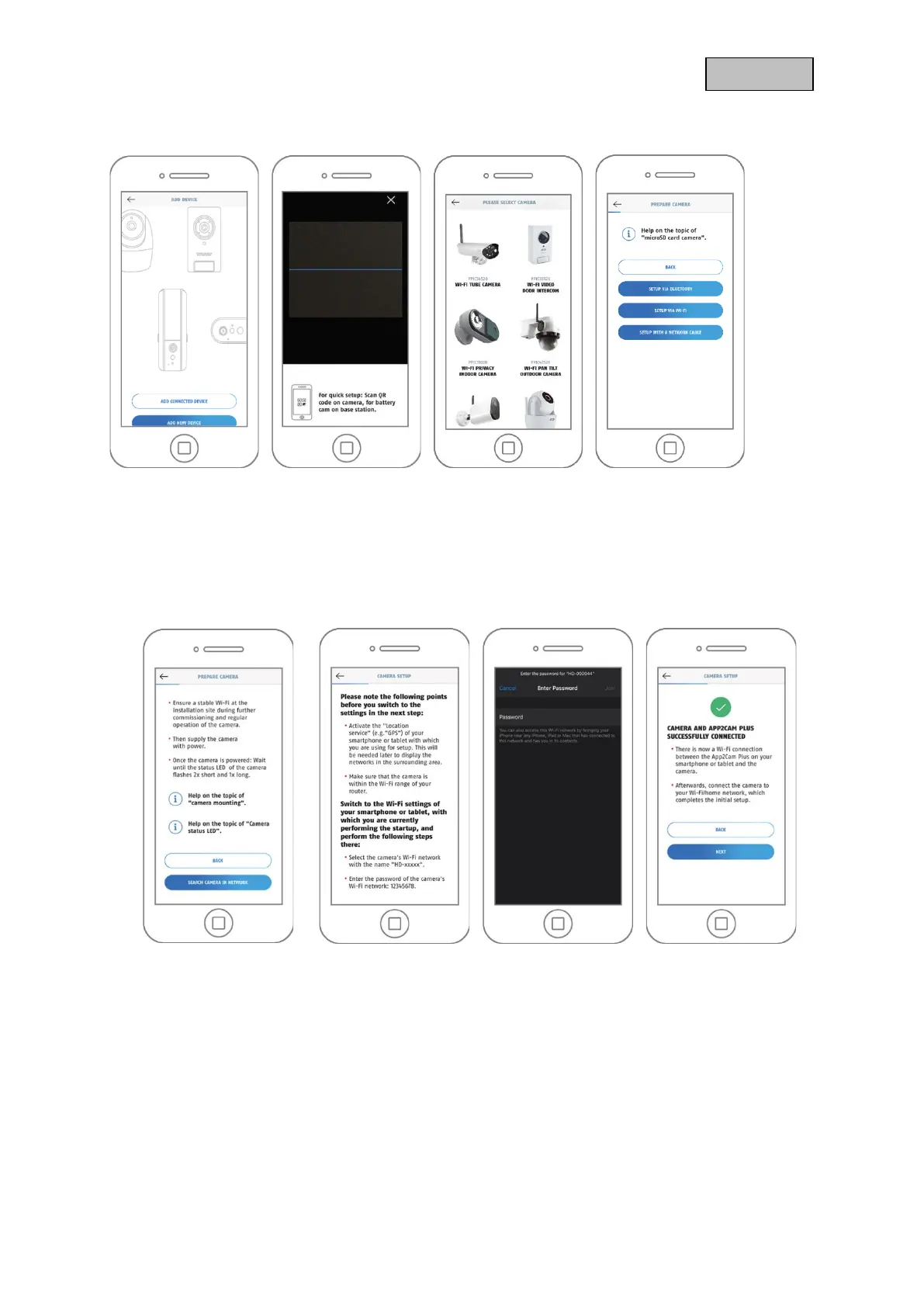
5.3.2. WI-FI setup
1. Start the App2Cam Plus and select "Add new device" to start the setup.
2. Option 1: Scan the QR code on the back of the camera.
3. Option 2: Select your camera model.
4. Select "Setup via WI-FI".
5. Supply the camera with power and then click on "Search camera in network".
6. Click on "Switch to WI-FI settings".
7. Connect to the WI-FI access point of the camera. You can recognize this by the name "HD-
XXXXXX". The password for the camera's WI-FI access point is: "12345678".
8. Switch back to the App2Cam Plus app and click on "Next".



 To Next Page