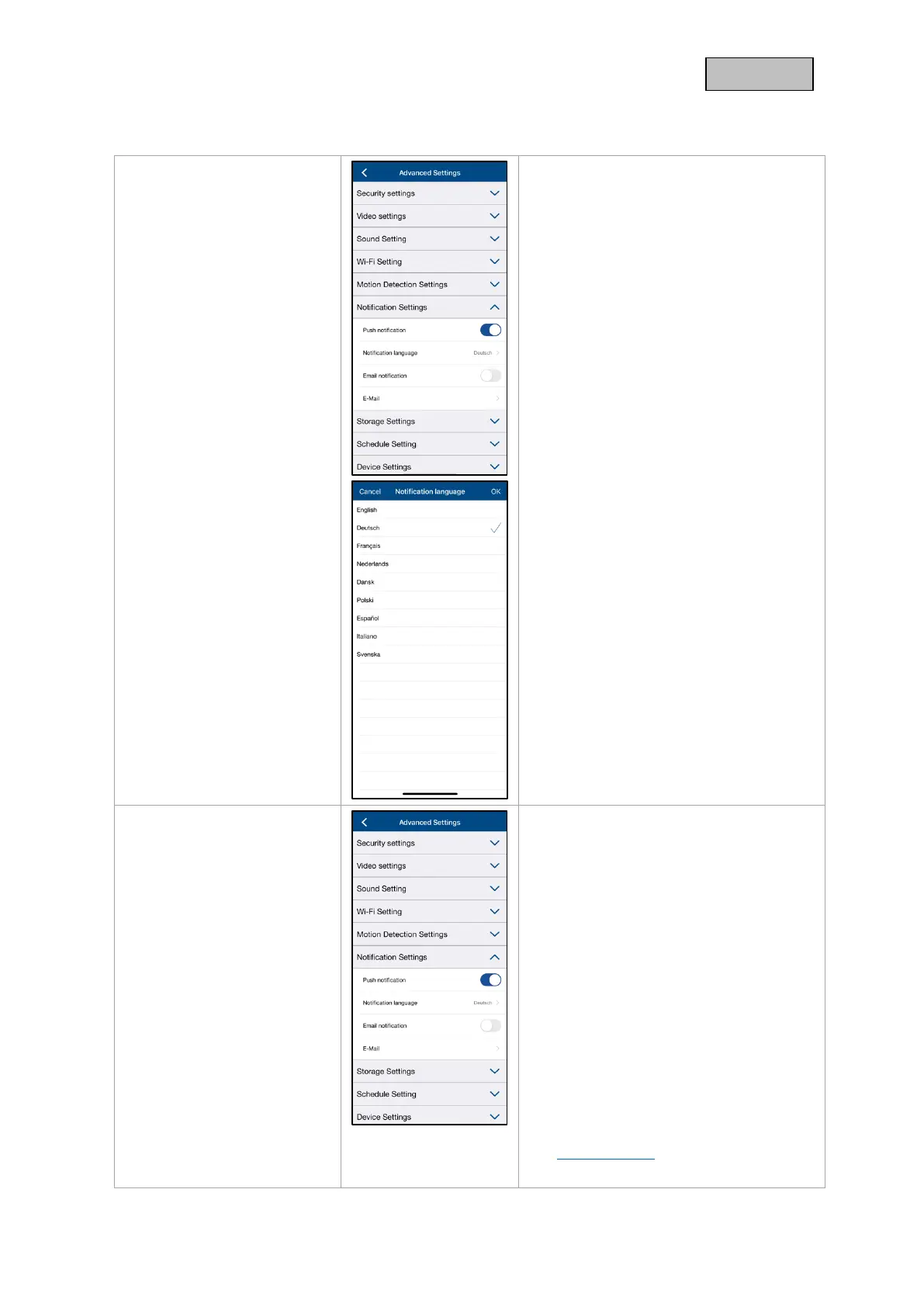
5.9.10. Notification Settings
Activate PUSH notification /
Notification language
Activate notifications to receive PUSH
messages on your smartphone when
motion is detected.
You have the option to change the
language of the notification under
Notification Language.
Please note that only the language of the
PUSH notifications will be changed.
The language setting for the app remains
and must be changed in the smartphone.
E-mail notification / e-mail
E-mail settings
The e-mail settings are required for
sending a notification.
Use SSL/TLS:
Activate the checkbox to transmit the e-
mail in encrypted form. You can obtain the
necessary settings from your e-mail
provider.
SMTP Server:
Enter the SMTP server address here.
e.g. smtp.test.com
SMTP Port:
Enter the SMTP port here.
e.g. 465
Username:
Enter the sender's e-mail address here.
e.g. xxx@test.com
Password:



 To Next Page