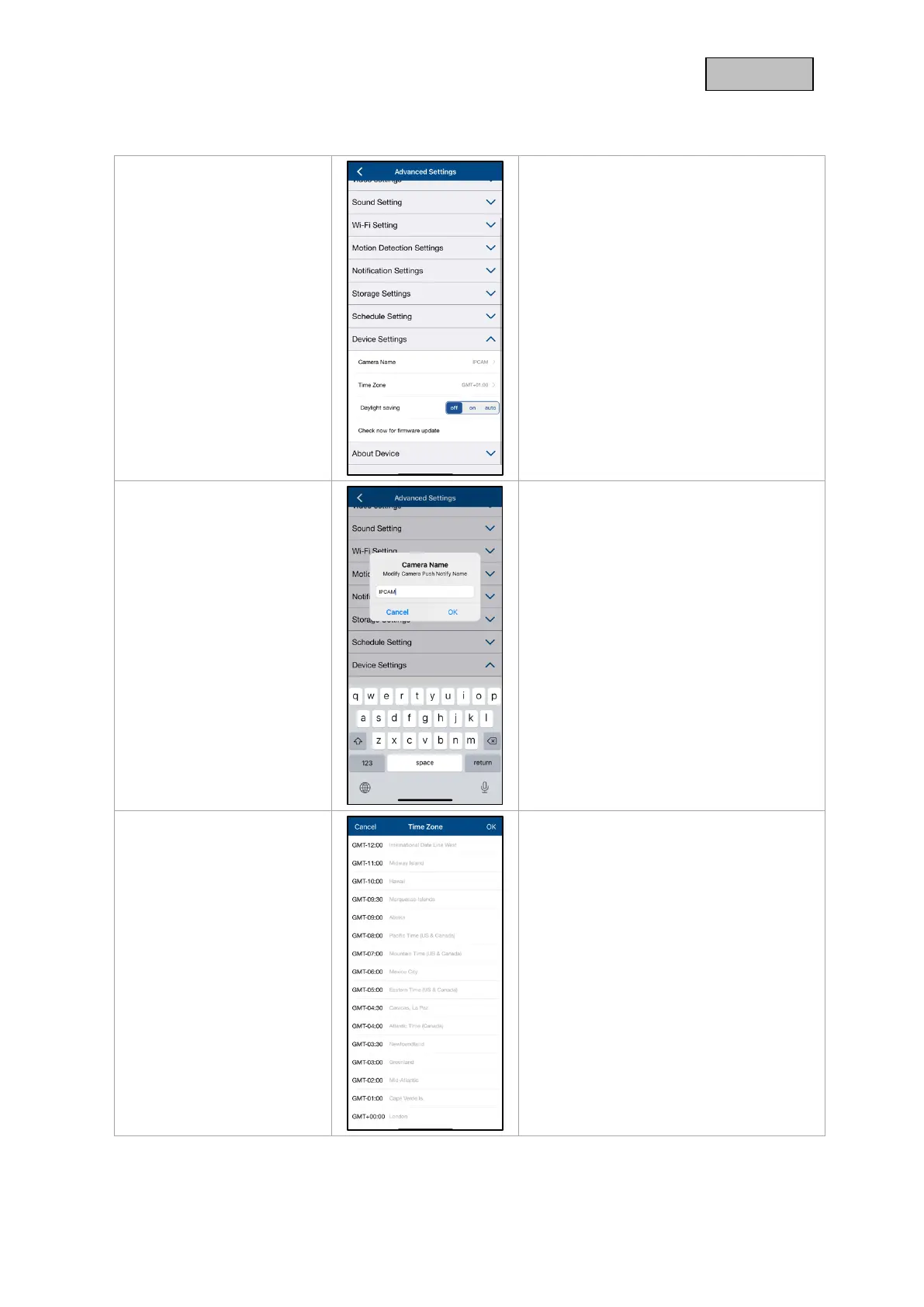
Make the device settings for your camera
here.
The changes in the settings are only
applied after exiting the menu.
Change the camera name here.
The name is displayed in the live view as
well as in the push notifications.
The world time zones are listed in the
selection list. Select the time zone in which
the camera will be installed.
If the world time zone uses the
changeover to daylight saving time,
activate daylight saving time.



 To Next Page