34
18.9.2. Activation / deactivation of the week planner
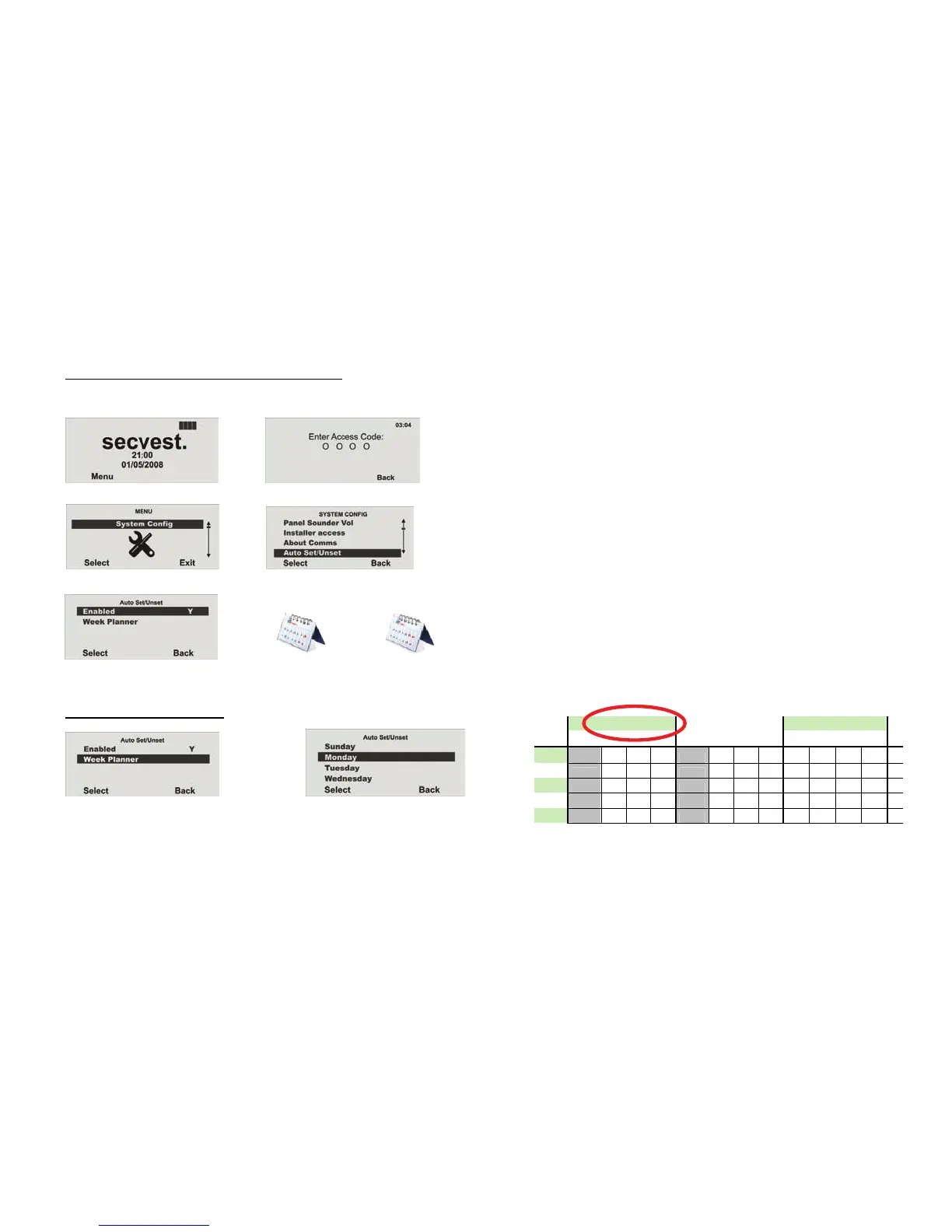
Access the user menu using the administrator code (default = 1234) and create a week planner.
18.9.3. Selecting the weekday
Æ
In the System Config menu, select the Auto Set/Unset menu item.
Æ
Access the menu and enter your access code.
Æ
Select the weekday in the week planner.
Monday Tue sday Wednesday
Th
Time P1 P2 P3 P4 P1 P2 P3 P4 P1 P2 P3
P4 P1
00:00 00:00
01:00
02:00
03:00 S
04:00
Set (activated)
Activation Y
Deactivation
Activation N
X
Select Y for activation.



 To Next Page