22
18.5.1. Editing users
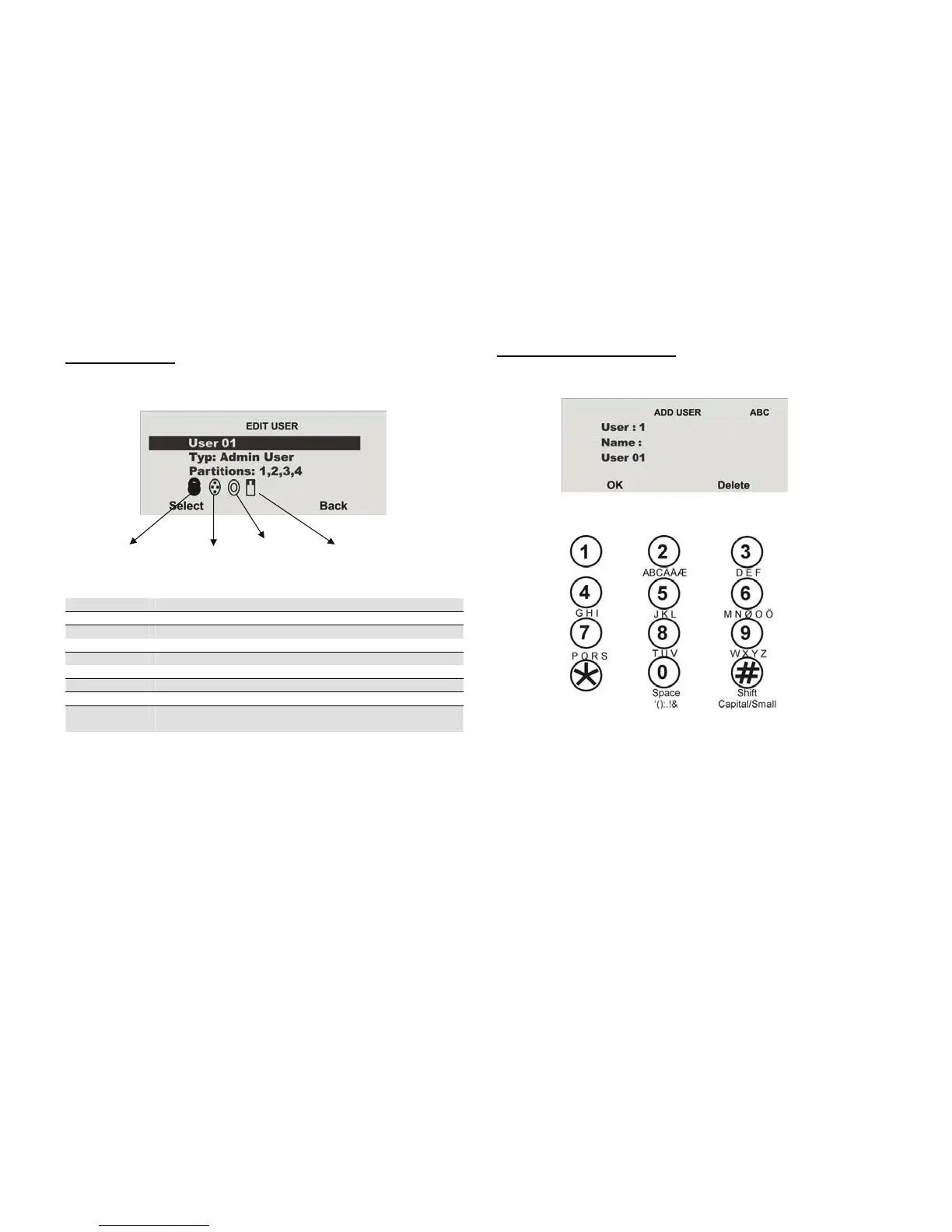
After selecting the Edit User menu item, the user attributes can be edited.
Select the user whose attributes should be edited.
Property Meaning
Name Program the user name.
Type Define the user type.
Partition Define the partitions this user can control.
Code Enter the user code.
Chip key Add a chip key to the user.
Telecommands Add a remote control to the user.
Social Care Add a pendant to the user.
Panic Add a panic transmitter to the user. Alternatively, you can
also use the dual key function of the remote control.
Exit this menu item by pressing Back.
18.5.1.1. Changing the user name
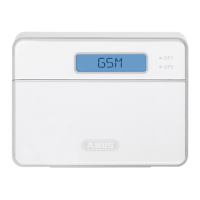
Select the user, then the “Name” menu item.
Remove the existing name by pressing Delete, then enter a new user name.
Enter letters via the keypad. Letter-to-key assignment:
Save the new user name and exit the menu item by pressing OK.
Chip key Remote control Pendant Panic transmitter



 To Next Page