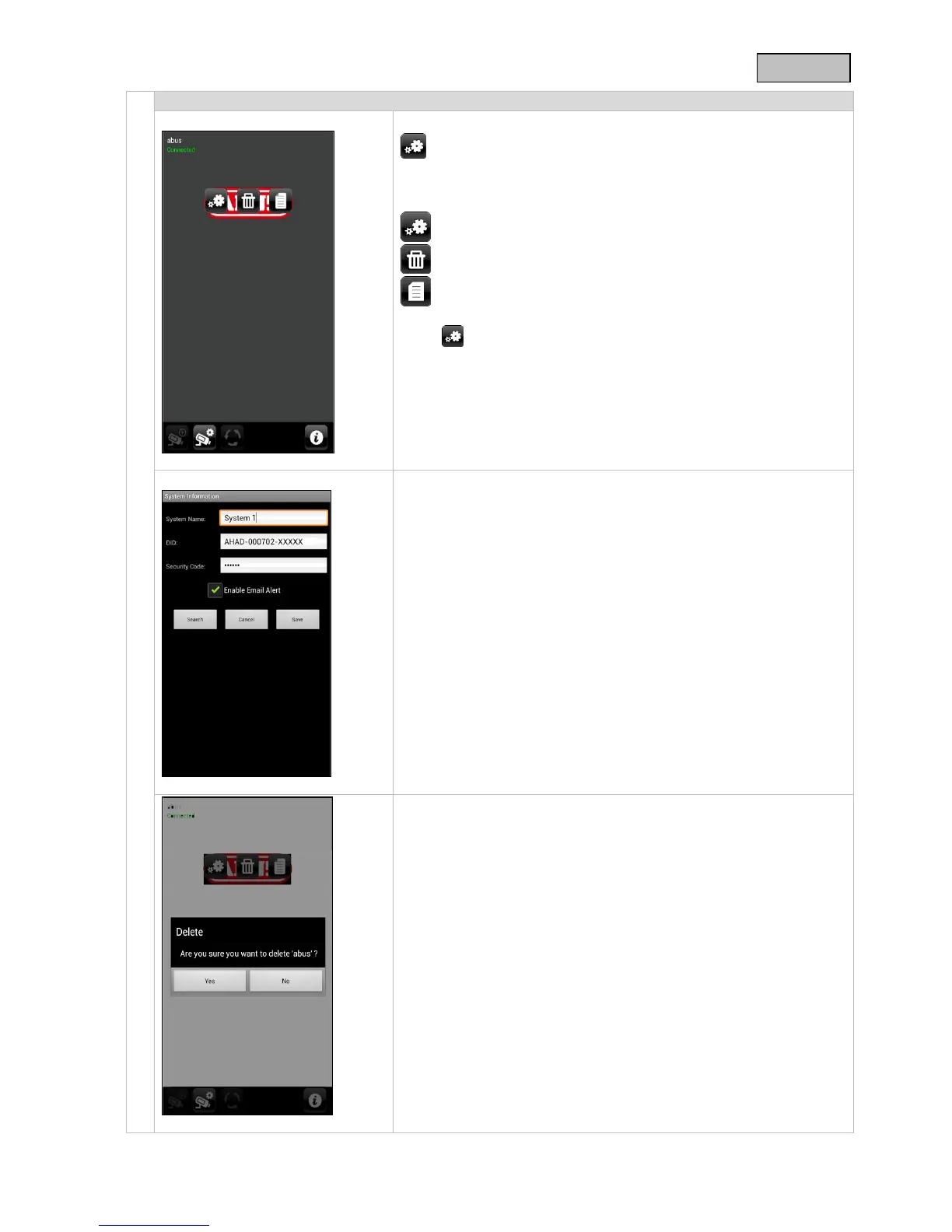
System configuration
Go to the system configuration here.
You can choose one of the following options:
Changing playback direction
Removing the system
Access to the recordings
Press to go to the live view again.
System information
Here you can change the system name, the DID and the security
code. Save the settings by pressing “Save”.
Press “Search” to look for a device in the network. To cancel the
procedure, press the “Cancel” button.
Enabling the email alert
Activate this function to receive email notification if an incident
occurs.
Removing the system
After pressing the icon, a new window appears to ask you whether
you really want to delete the system.
If you want to remove the system, press “Yes” or cancel with “No”.



 To Next Page