94
English
Compression
Recording duration
H.264 MPEG-4 MJPEG
1 minute
video sequence
in Full HD resolution
with “good” quality
Approx. 30 MB Approx. 55 MB Approx. 220 MB
Storage capacity
32 GB SD card Approx. 18 hours Approx. 10 hours Approx. 2,5 hours
At the end of the manual you can find a detailed table with every quality setting combined with
every resolution.
Day/Night settings:
„Switch to B/W in night mode “: Here you can switch the network camera to b/w mode.
„IR cut filter“: There are following option to switch the IR cut filter:
x Auto: Automatic switching from colour to b/w below 2 Lux.
x Schedule mode: Automatic switching from color to b/w at fixed times.
x Day mode: Manual activating of the day mode. The IR filter is switched to block all IR light.
x Night mode: Manual activating of the night mode. The IR filter is removed to allow IR light to pass and
improve the image quality in low light conditions.
x Synchronize with digital input
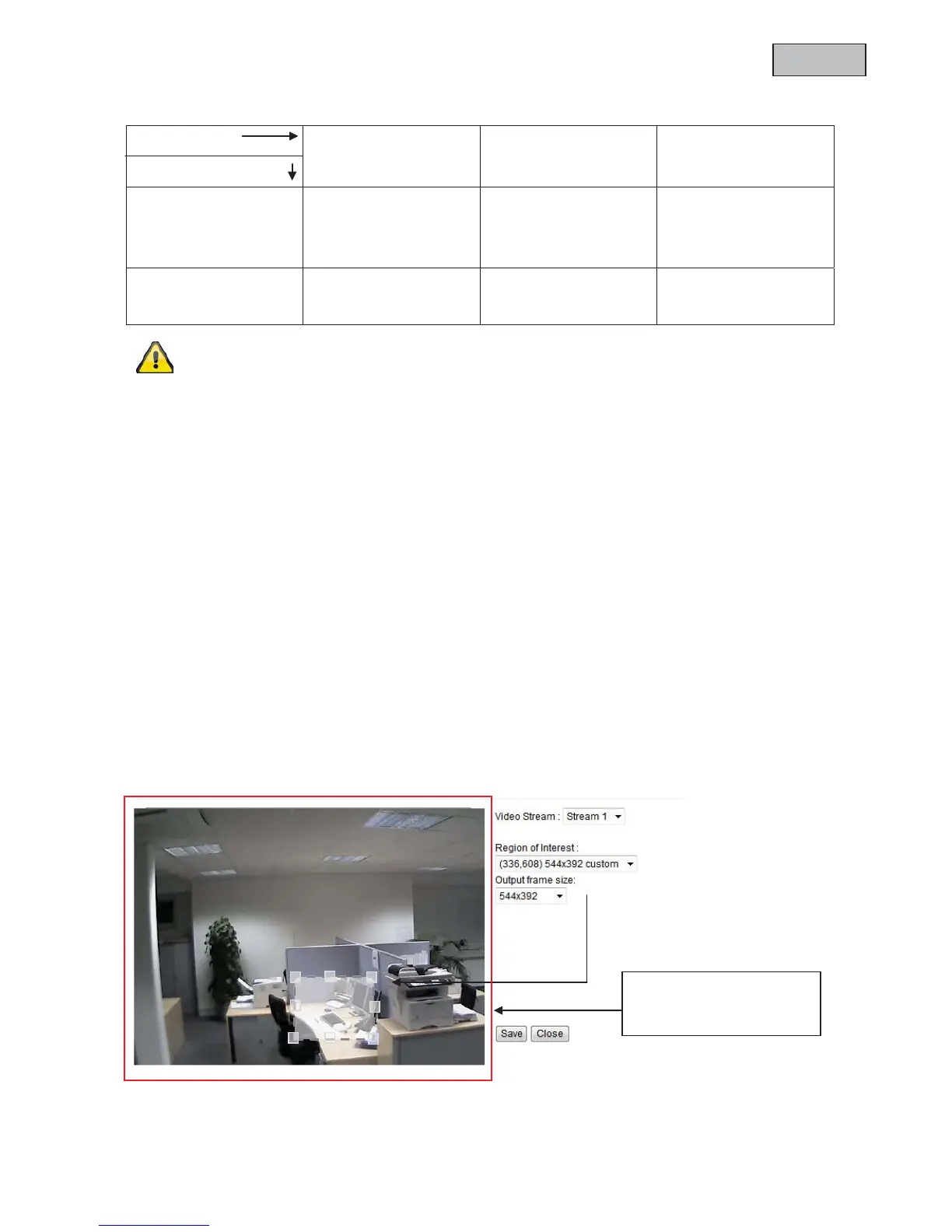
9.5Adjust image and viewing window
By clicking on „viewing window“ you can configure the resolution for the video streams 1 to 3.
1. Select the stream you want to configure. Stream 4 always provides the full image area and is
therefore not selectable
2. Select a resolution from the dropdown menu.
Coverage: 1920x1080
(during individual image
area)



 To Next Page