104
English
13.5 Application overview
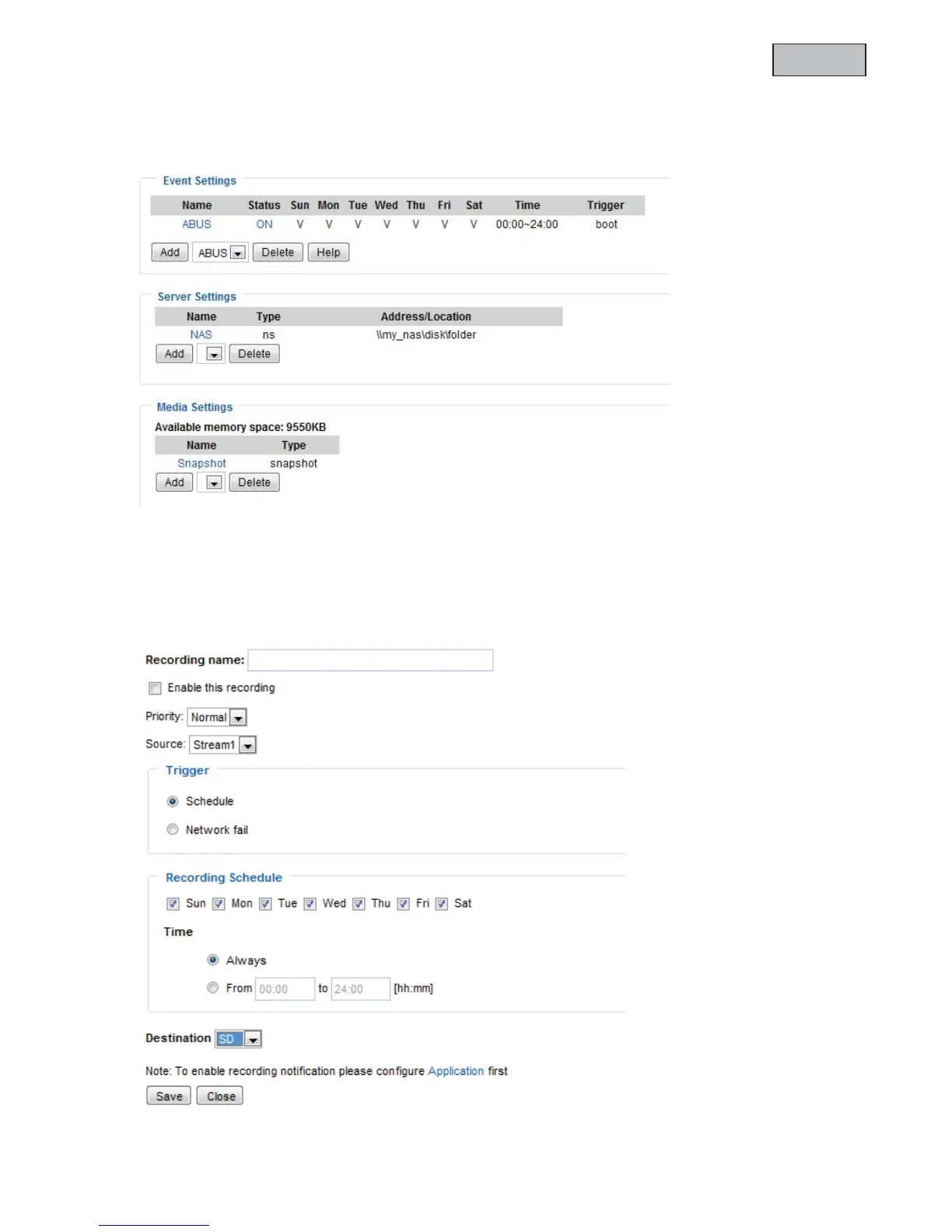
Here, you can view all the “Events”, “Media types” and “Servers” that are configured in the network camera.
You can check, delete and add the different settings here.
You can also check the different parameters such as name, status, trigger, address.
14.Recording
The recording section allows you to set up recordings with the option of setting up permanent video
recordings for SD cards or network shares. You can save up to 2 video settings in the network camera.
Click “Add”
to create a new recording.



 To Next Page