96
English
10.Motion detection
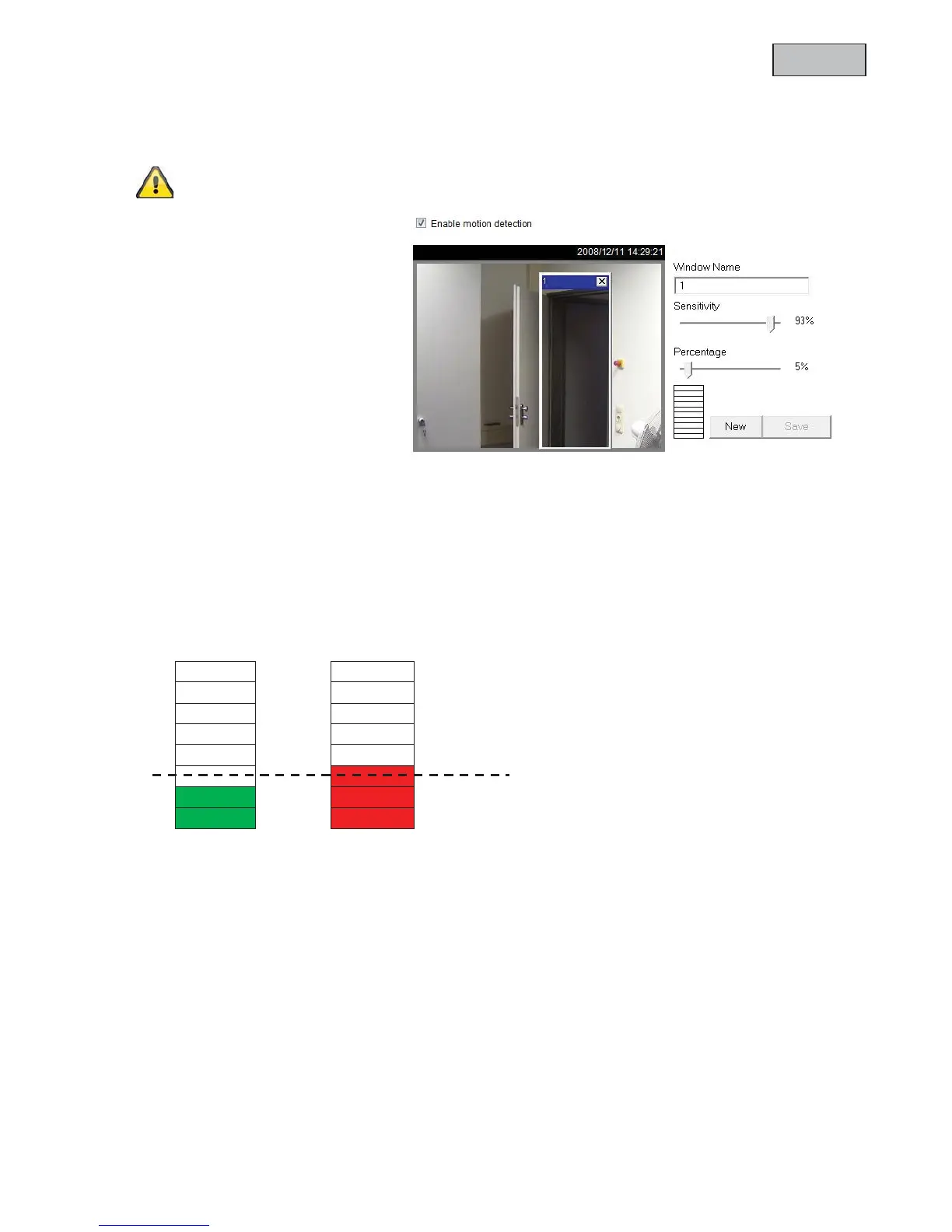
You can activate up to three motion zones in the network camera. Select “Enable motion detection”, to
configure the function.
The motion detection function is only active once you have defined an action under the
“Application” menu item.
“Window Name” The text appears at
the top of the window.
“Sensitivity” Sensitivity in changes of
picture sequence (e.g.: sensitivity high:
triggering by slight picture change).
“Percentage” Specifies the percentage
of the image that has to change for the
motion sensor to be triggered.
Click “New” to add a new window. To
resize the window or move the title bar,
click the window frame, keep the mouse
button pressed and drag the window to
the required size. Close the window by
clicking the “x” in the top right corner.
Click “Save” to save the window settings. A bar graph rises or falls according to the picture variation.
A green bar means that the picture variation is below the surveillance level, whilst a red bar means that the
picture variation is above the surveillance level. If the bar is red, the detected window appears with a red
frame. When you return to the homepage, the monitored window is hidden. As soon as motion is detected,
the red frame is displayed.
Green area: Motion recognised, however alarm is not triggered.
Red area: Picture variation (motion) exceeds the limit value of 30% and triggers an alarm.
30% Prozent



 To Next Page