Menu
24
EVENT/SENSOR
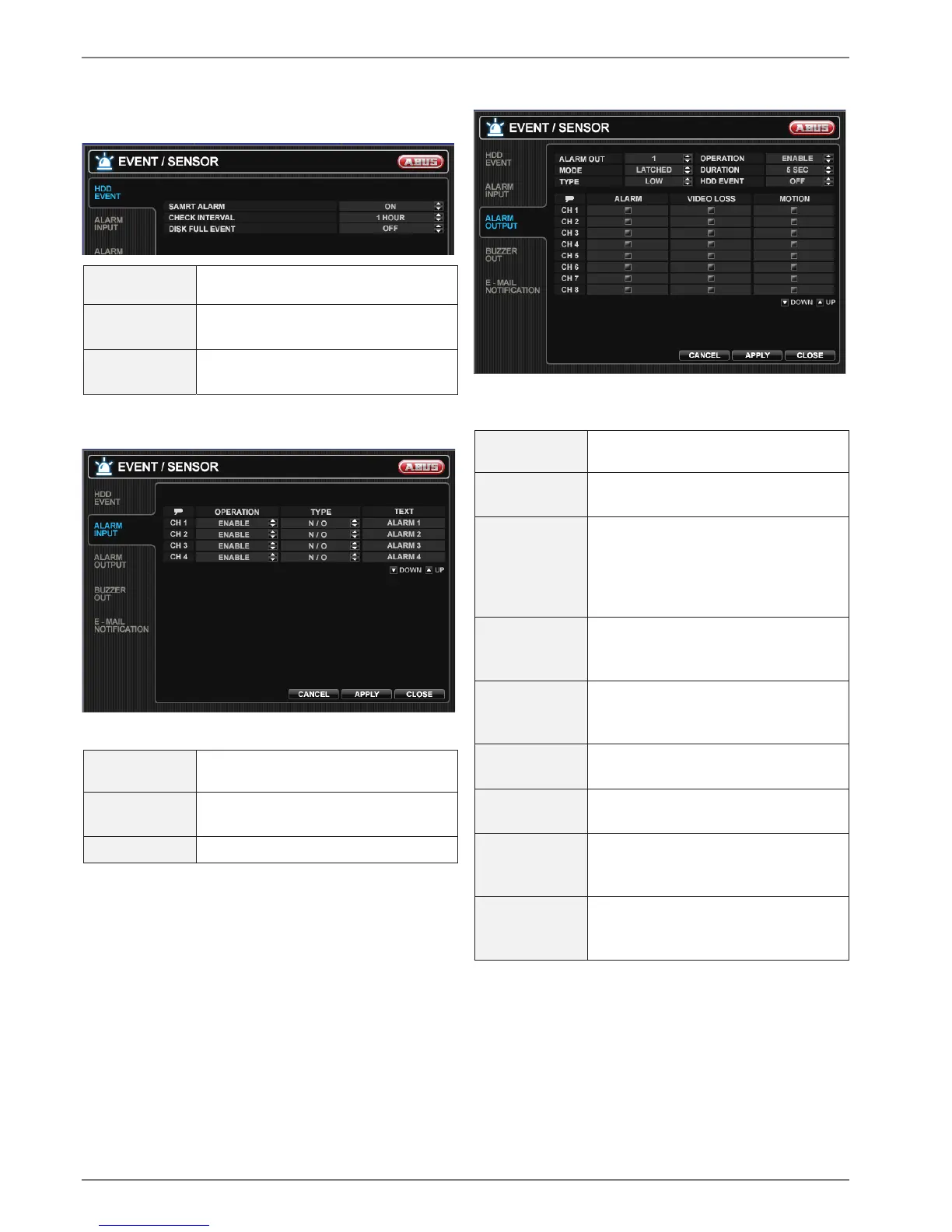
HDD EVENT
SMART
ALARM
Enables SMART disk monitoring.
CHECK
INTERVAL
Adjust the interval the disk is checked.
DISK FULL
EVENT
Determines the event ON/OFF.
ALARM INPUT
Determines the behavior of each alarm input.
OPERATION
Alarm inputs can be enabled or dis-
abled.
TYPE Set as normally open or normally
closed.
TEXT Enter a name.
ALARM OUTPUT
Determines the behavior and actions that will trigger each
alarm output.
ALARM OUT
Choose which alarm output to config-
ure.
OPERATION The selected alarm output can be en-
abled or disabled
MODE Can be either TRANSPARENT (the
output is active when the criteria is
triggered) or LATCHED (the output is
active for a set period of time after it
has been triggered).
DURATION In LATCHED mode, the time that the
alarm output remains active after it has
been triggered.
TYPE Can be set to high (0V to +5V when
activated) or low (+5V to 0V when acti-
vated).
HDD EVENT Determines whether a hard drive event
triggers the alarm output.
ALARM Determines whether alarm inputs will
trigger the alarm output.
VIDEO LOSS Determines whether video loss on any
of the selected channels will trigger the
alarm output.
MOTION Determines whether motion detection
on any of the selected channels will
trigger the alarm output.



 To Next Page