12
INSTALLATION
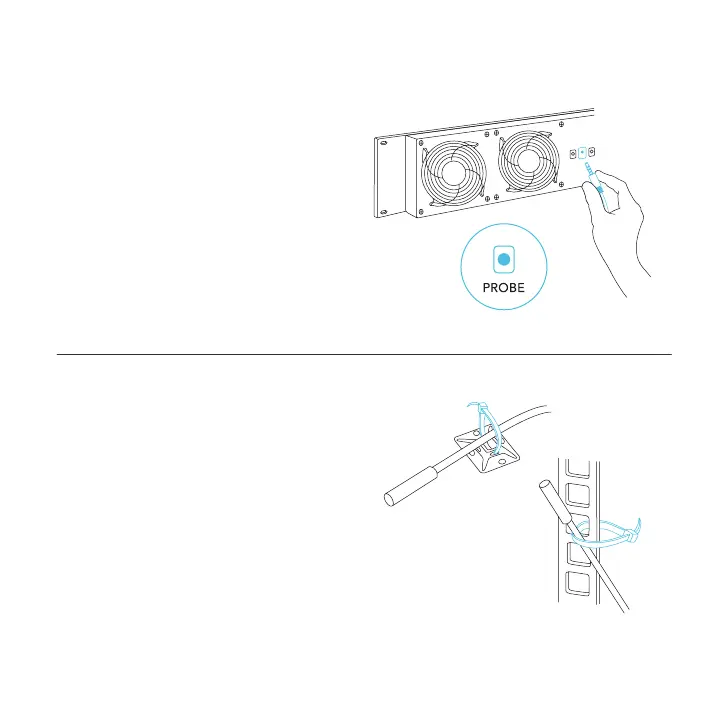
STEP 5
Plug the thermal probe into the PROBE port
on the backside of the rack fan unit. Check to
see if the LCD screen is displaying the probe’s
temperature reading.
STEP 6
Set the head of the probe near your hottest rack
equipment and away from any fans. This is to
ensure your rack fan unit is accurately detecting
the internal temperature.
Secure the probe onto your rack using the
included wire ties.



 To Next Page