18
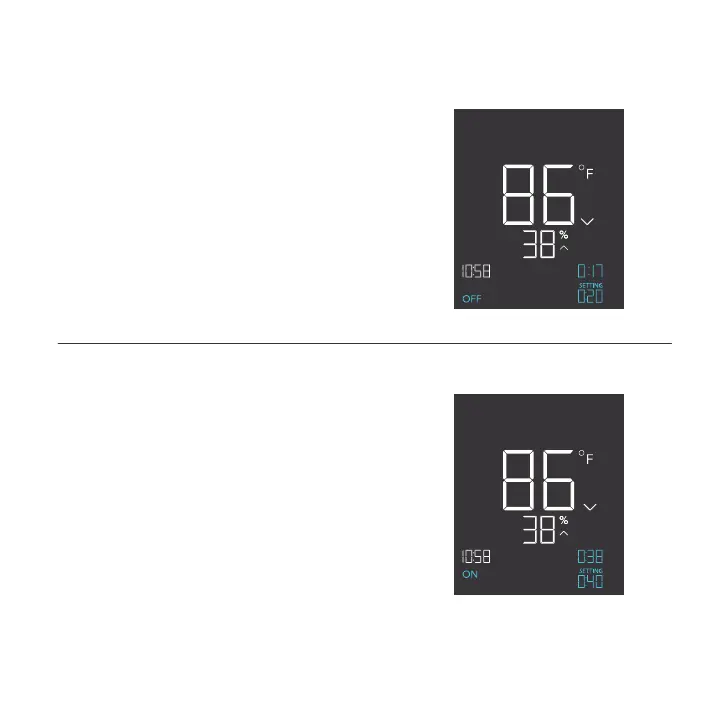
TIMER TO OFF MODE
Pressing the up or down button sets a countdown
time. During the countdown, your device will be set
to ON. Once the timer ends, your device will trigger
to turn off.
The countdown will begin if no buttons are pressed for
5 seconds. The time left on the countdown is shown
on the lower right corner of the display above the
setting. Leaving the timer mode while the countdown
is running will pause it until you return to this mode.
TIMER TO ON MODE
Pressing the up or down button sets a countdown
time. During the countdown, your device will be set
to OFF. Once the timer ends, your device will trigger
to turn on.
The countdown will begin if no buttons are pressed for
5 seconds. The time left on the countdown is shown
on the lower right corner of the display above the
setting. Leaving the timer mode while the countdown
is running will pause it until you return to this mode.
ON
TO
ON
TIMER TO
PM
OFF
TO
OFF
TIMER TO
PM
PROGRAMMING


 To Next Page