Accent 800 Hardware Manual Page 23
Attaching the Frame More Securely
If you do not expect to remove and reattach the frame to the device frequently, you may want to insert
the original screws in the top and side holes of the frame. If you expect to remove and reattach the
frame to the device frequently, you may not want to use the screws.
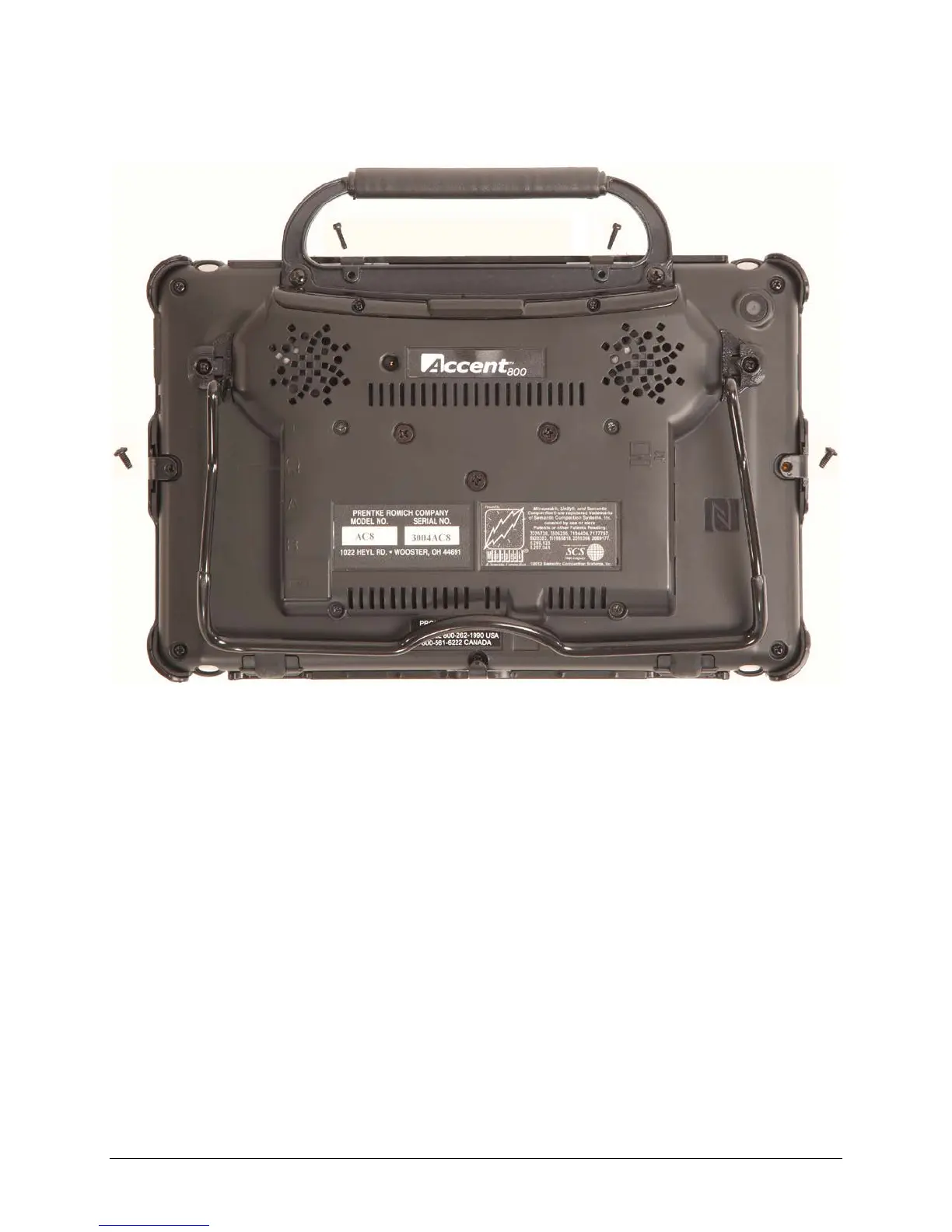
1. Place the device face-down on a flat surface.
2. Insert the two small screws that you removed earlier (page 20, “Removing the Frame”, step 2)
through the holes in the top of the frame and into the corresponding holes in the top of the device.
3. Insert the two larger screws through the holes in each side of the frame and into the corresponding
holes in the sides of the device.
4. Tighten all four screws with a Phillips screwdriver.
When the Device Frame is Attached Securely
After you attach the frame securely to the device, you can attach a Keyguard or TouchGuide to the
frame. See “Attaching the Keyguard” on page 24 or “Attaching the TouchGuide” on page 26.


 To Next Page