Accent 800 Hardware Manual Page 8
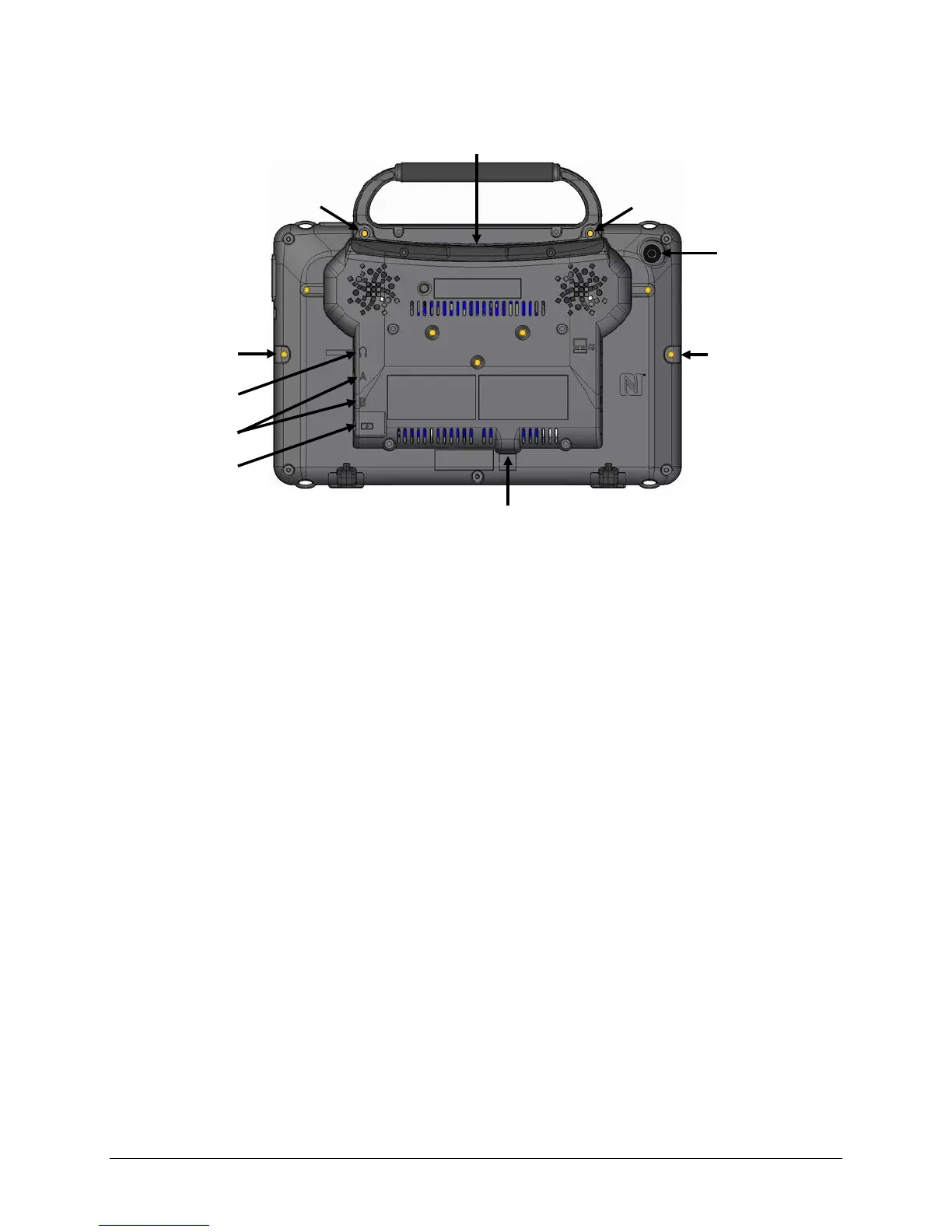
Back View
* If you use a switch or switches for access to your device, plug them into switch jacks A and B. To
use a joystick, you will need a Y-adapter. If you have a joystick plugged in and it does not respond
normally, reverse the way it is plugged in (plug switch A into jack B, switch B into jack A).
Attachment Point for Handle
or NuPoint Head
Attachment Point for Handle
or NuPoint Head Tracker
Mini USB Connector for
Attachment Point
for Device Frame
Attachment Point for
Device Frame



 To Next Page