Accent 800 Hardware Manual Page 37
Using the Cameras
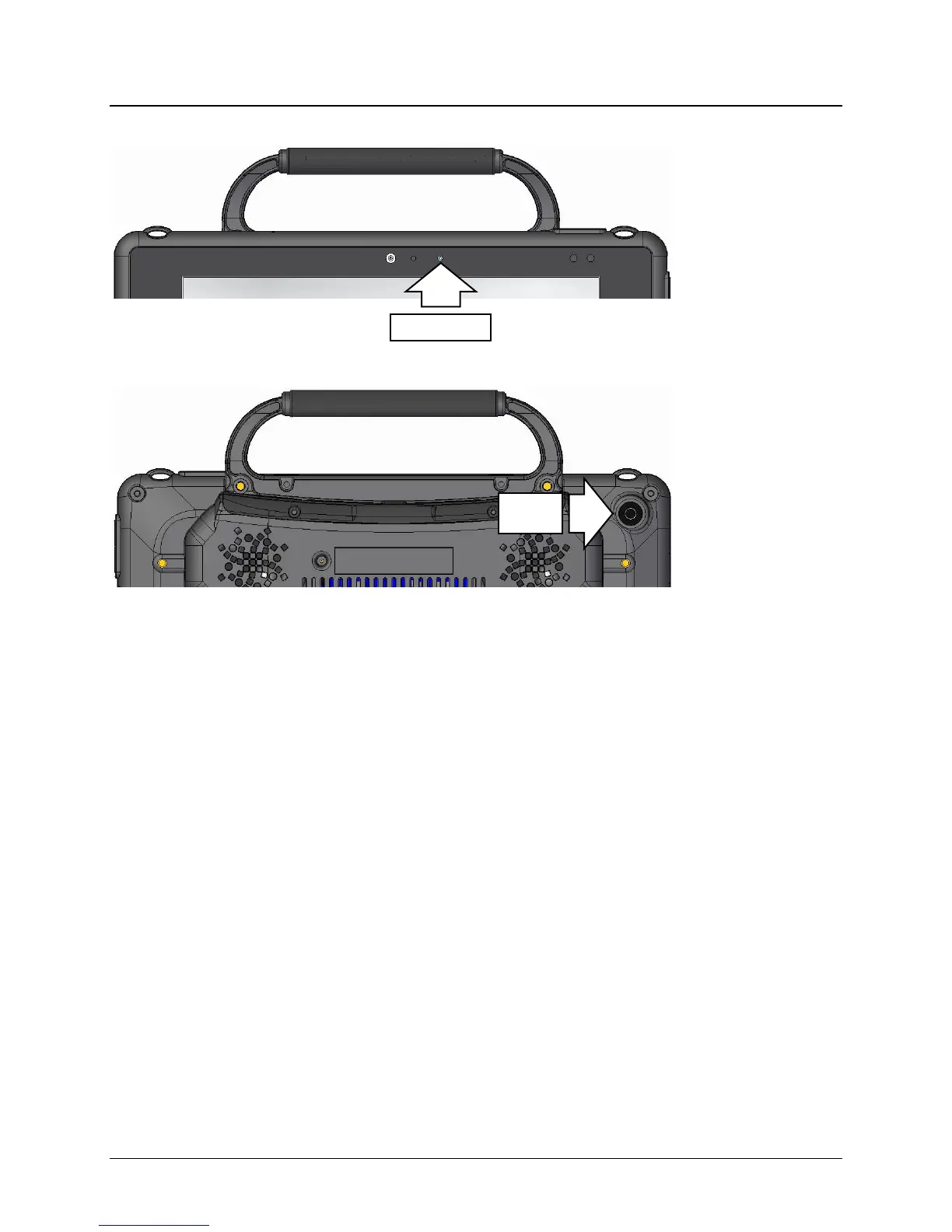
The front camera is located in the center of the device at the top of the display.
The rear camera is located on the upper right side on the back of the device.
The NuVoice Toolbox contains a Camera Menu. Your vocabulary may also have a camera page or
camera activity that contains the Camera Menu. The Camera Menu provides an option to zoom in or
pan in any direction.
Hold a photograph 6-8 inches away from the lens and take a picture of the photo and use it as an icon or
visual scene.
Camera applications such as Skype
™
, Windows Movie Maker, etc. can be used. Follow the directions
provided with each specific camera application.
To switch between the front and rear cameras, select the Change Camera icon in the lower left corner
of the Camera toolbar.
To Use the Cameras in the NuVoice Software
1. Select the Tools key to the right of the text display area.
2. Open the Toolbox.
3. Select Camera Menu.
4. To switch between the front and rear cameras, select Choose Camera.
5. Select Front Camera or Rear Camera.
Camera



 To Next Page