Controller Programming (basic)
Page 14
Zones
Once the timer programs, (programs A, B, C, and D) and the sensor programs (programs
S1, S2, S3…S36) are set up you need to assign the zones to the programs. Each zone
can be set to follow one or more of the timer programs or one sensor program.
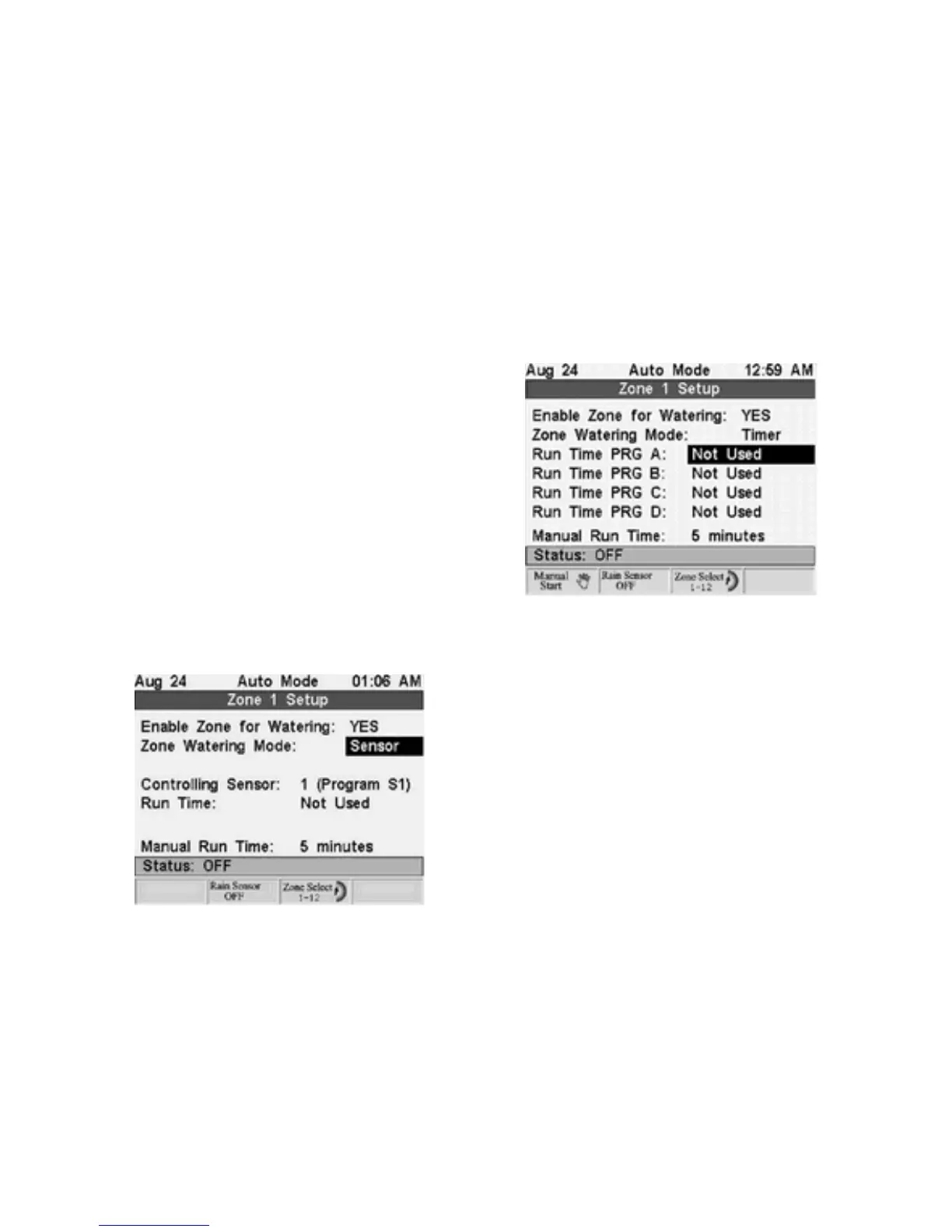
Zone setup allows you to adjust:
Enable Zone for Watering, yes or no
Zone watering mode, timer or sensor
Run Time in minutes
Manually run the zone
For Timer Programs
(programs A, B, C, and D) you can set the zone to follow one or
more of the four timer programs.
1. Turn the controller dial to the numbered
Zone Run Times/Manual Watering settings.
Each setting controls 1 of 3 zones. Press the
third soft key labeled
Zone Select
to select
one of the three zones.
2. Press the
Next
or
Prev
buttons to move
between the program fields.
3. Press the
+
or
-
Adjust Value
buttons to
change the run time of each program in
minutes.
For Sensor Programs
(S1, S2, S3…S36) you can set the zone to follow one sensor
program.
1. Press the
Next
or
Prev
buttons to move to the
Zone Watering Mode.
2. Press the
+
or
-
Adjust Value
buttons to
change the zone watering mode to sensor. This
will only be possible if there is a sensor installed
on the system.
3. Press the
Next
button to move to the
Controlling Sensor field.
4. Press the
+
or
-
Adjust Value
buttons to
change the Controlling Sensor field to select
which sensor
program you want the zone to follow.
5. Press the
Next
button to move to the Run Time field.
6. Press the
+
or
-
Adjust Value
buttons to change the Run Time field to select the
zone's run time in minutes.
Manual Run Time
allows you to set the time that the selected zone will run manually. To
set the run time and manually start a zone do the following:
1. Press the
Next
or
Prev
buttons to move to the
Manual Run Time
field.
2. Press the
+
or
-
Adjust Value
buttons to adjust the
Manual Run Time
minutes.
3. Press the
Manual Start
soft key to start watering.



 To Next Page