Toggling between Weight Units
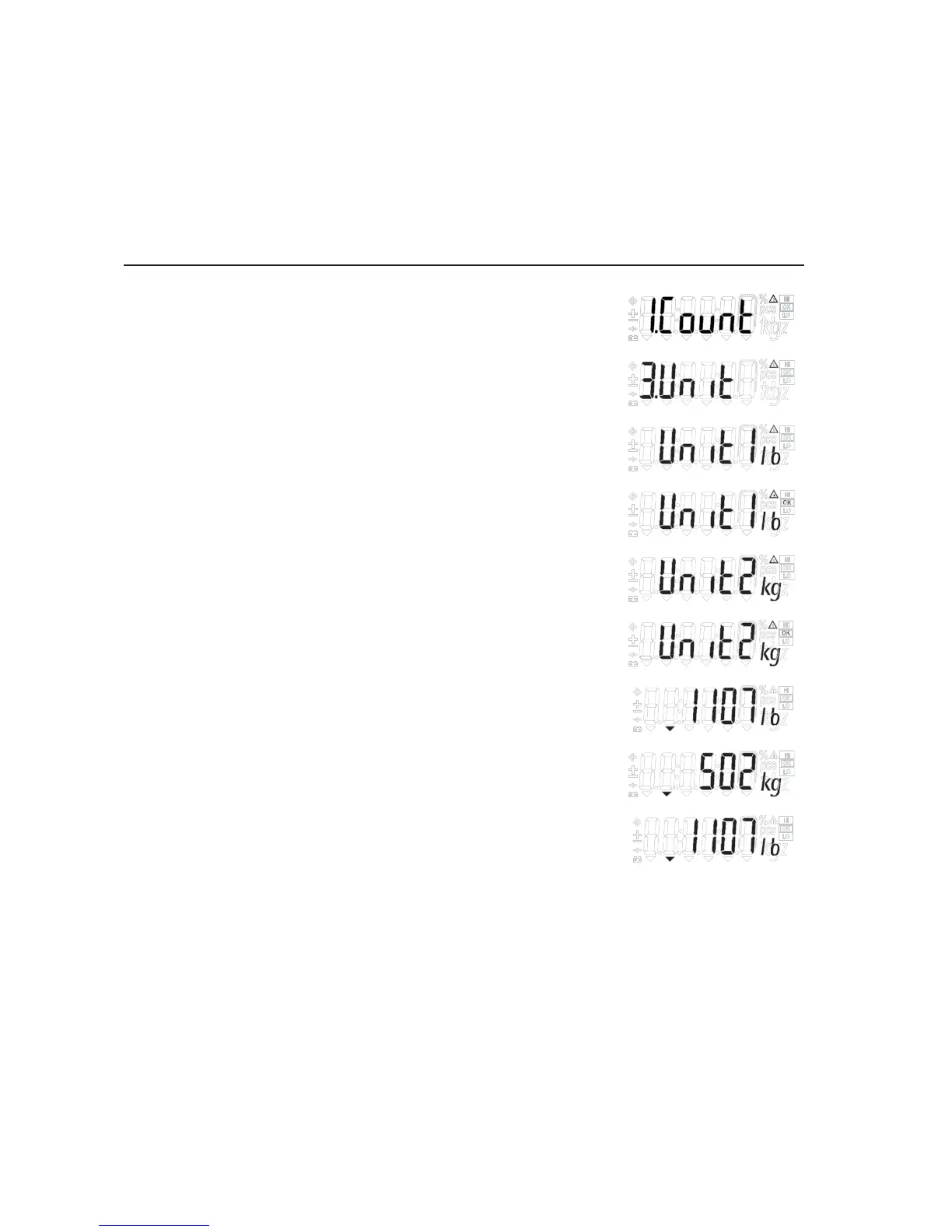
Step Key (or instruction) Display
a. Select application program (Fn/UP) > 2 sec
b. Select “Toggling Weight Units” (Fn/UP) or (G/N/DOWN)
Repeatedly
c. Select weight unit 1 (Fn/UP) or (G/N/DOWN)
d. Confirm weight unit 1 (PRINT/ENTER)
e. Select weight unit 2 (Fn/UP) or (G/N/DOWN)
f. Confirm weight unit2 (PRINT/ENTER)
g. Place sample on the scale
h. Toggle weight unit (Fn/UP)
i. Unit toggling Application: (ZERO/LEFT) > 2 sec
Clear (unit changes to basic unit set)
18


 To Next Page