25
The print output can be configured for three modes: short mode (option 1.3.1), long/ block mode (option 1.3.2) and
continuous mode (option 1.3.3). The SBI interface, explained in the section above, is available in all modes. Sample print
outputs are given below for all three printing options in different weighing modes.
Note: To configure serial communication settings and print output options, please refer to “Configuration (Setup menu)”.
Refer to “Application Programs” to configure the display and control unit for different weighing modes.
a. Print output: Expansion of Abbreviations
N Net weight
G Gross weight
T Tare weight (appears in block printing mode, if tare is not zero)
Chk. Checkweighing status (If checkweighing application is selected)
OK Ok (checkweighing mode, if the placed weight is in the range set)
HI High
LO Low
LL Lower limit (checkweighing)
HL Higher limit (checkweighing)
W.Ref. Reference weight (counting application)
Pcs Number of units on the pan
g Weight in Grams
kg Weight in kilograms
+ Appears if the value is greater than or equal to zero
– Appears if the value is less than zero
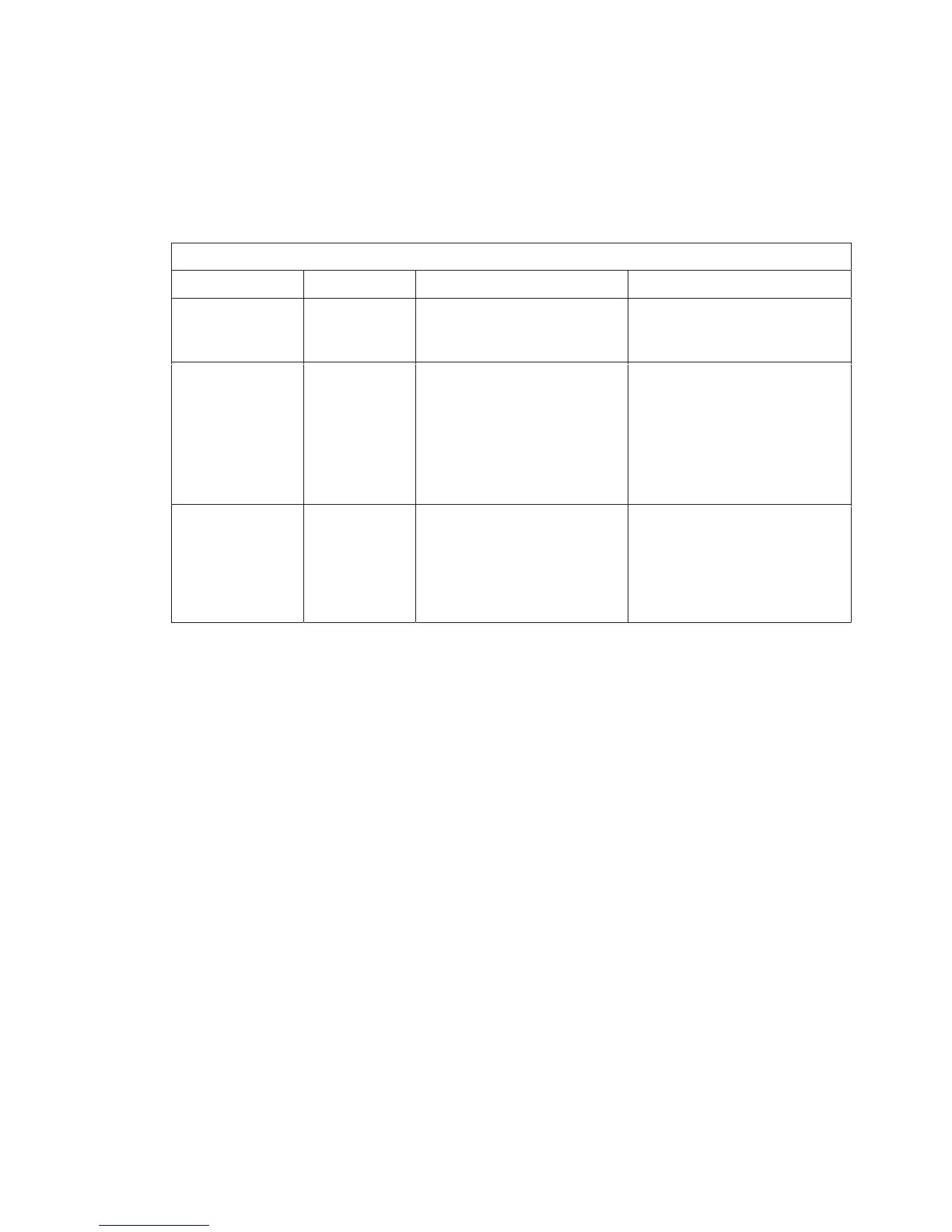
Print Formats
Printing Mode Options
Printing out OptionsPrinting out Options
Mode of operationMode of operation
Short printShort print Block print (long print)Block print (long print) Continuous modeContinuous mode
Normal weighing
mode
Net weight Gross weight (if tare is active)
Tare weight (if tare is active)
Net weight
Gross weight (if tare is not active)
or
Net weight (if tare is active)
Counting mode Net weight
Pcs
Ref. weight
Gross weight (if tare is active)
Tare weight (if tare is active)
Net weight
Pcs
Ref. weight
Pcs (default)
By pressing G/N key, it can switch
to:
Gross weight (if tare is not active)
or
Net weight (if tare is active)
Checkweighing
mode
Net weight
Chk OK/LO/HI
Gross weight (if tare is active)
Tare weight (if tare is active)
Net weight
Chk OK/LO/HI
LL (lower limit)
HH (upper limit)
Press key to toggle between:
Gross weight (with unit 1)
and
Gross weight (with unit 2)


 To Next Page