Counting
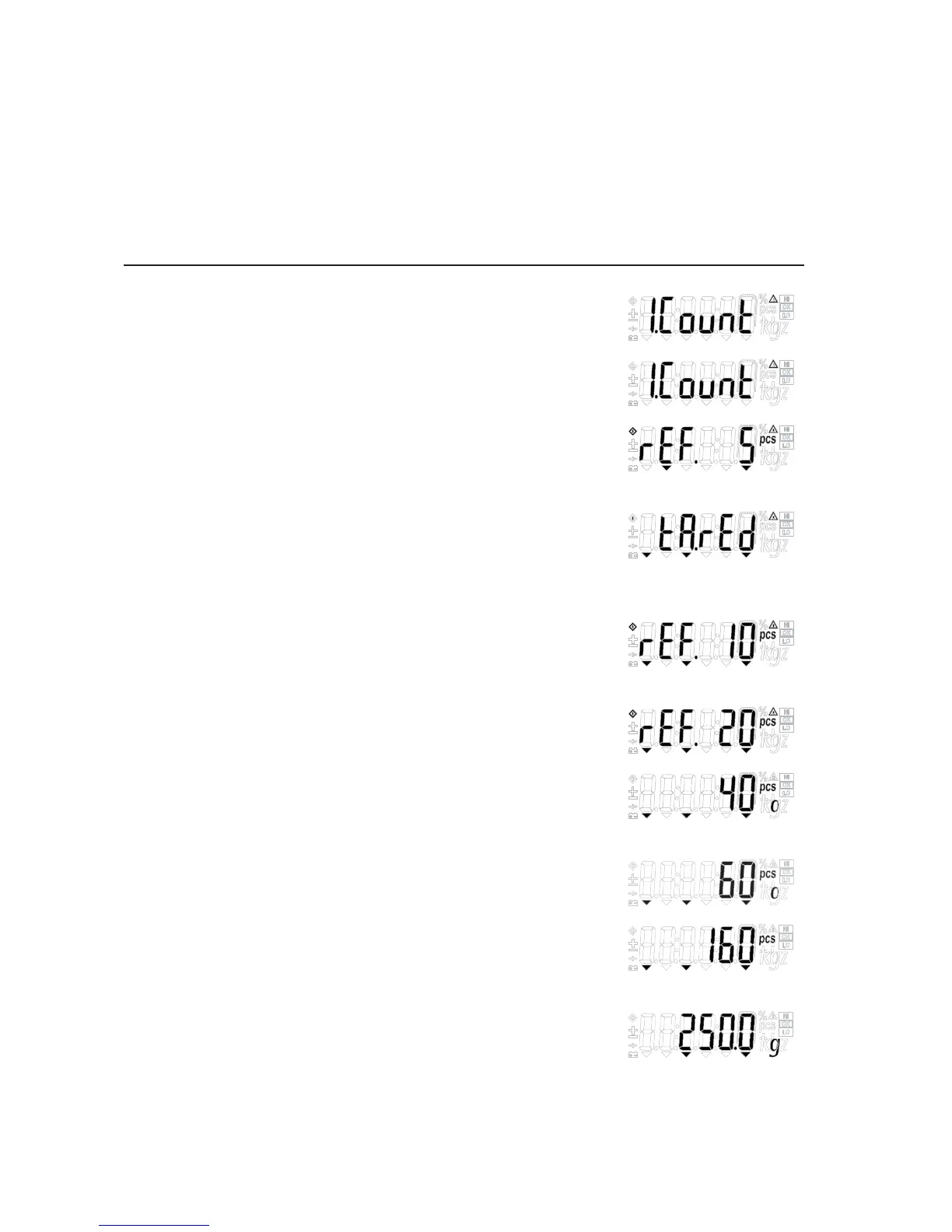
Step Key (or instruction) Display
a. Select application program (Fn/UP) > 2 sec
b. Select “Counting” (Fn/UP) or (G/N/DOWN) repeatedly
c. Press PRINT/ENTER. (PRINT/ENTER)
Display shows reference piece selection menu.
Counting is blinking.
d. Automatically the display will show (TARE/RIGHT)
the reference pieces.
Place container and press Tare
if required (display “tared”).
e. Select reference sample quantity: (Fn/UP) or (G/N/DOWN) repeatedly
5, 10, 20, 50 or 100, and put the
reference on the scale. (quantity flashes)
f. Press PRINT/ENTER . Now “O” flashes. (PRINT/ENTER)
Automatic optimization is active.
g. Place more reference samples on scale
(The number is x+2~2x times
of the reference pieces (x) selected in step e.)
h. Place uncounted parts/samples on the scale
i. Toggle between reference piece weight,
(G/N/DOWN)
total weight, and total pieces.
j. Unload the scale
k. Counting application: Clear (ZERO/LEFT) > 2 sec
Application Programs
16


 To Next Page