BIOS Utility
90 User’s Guide
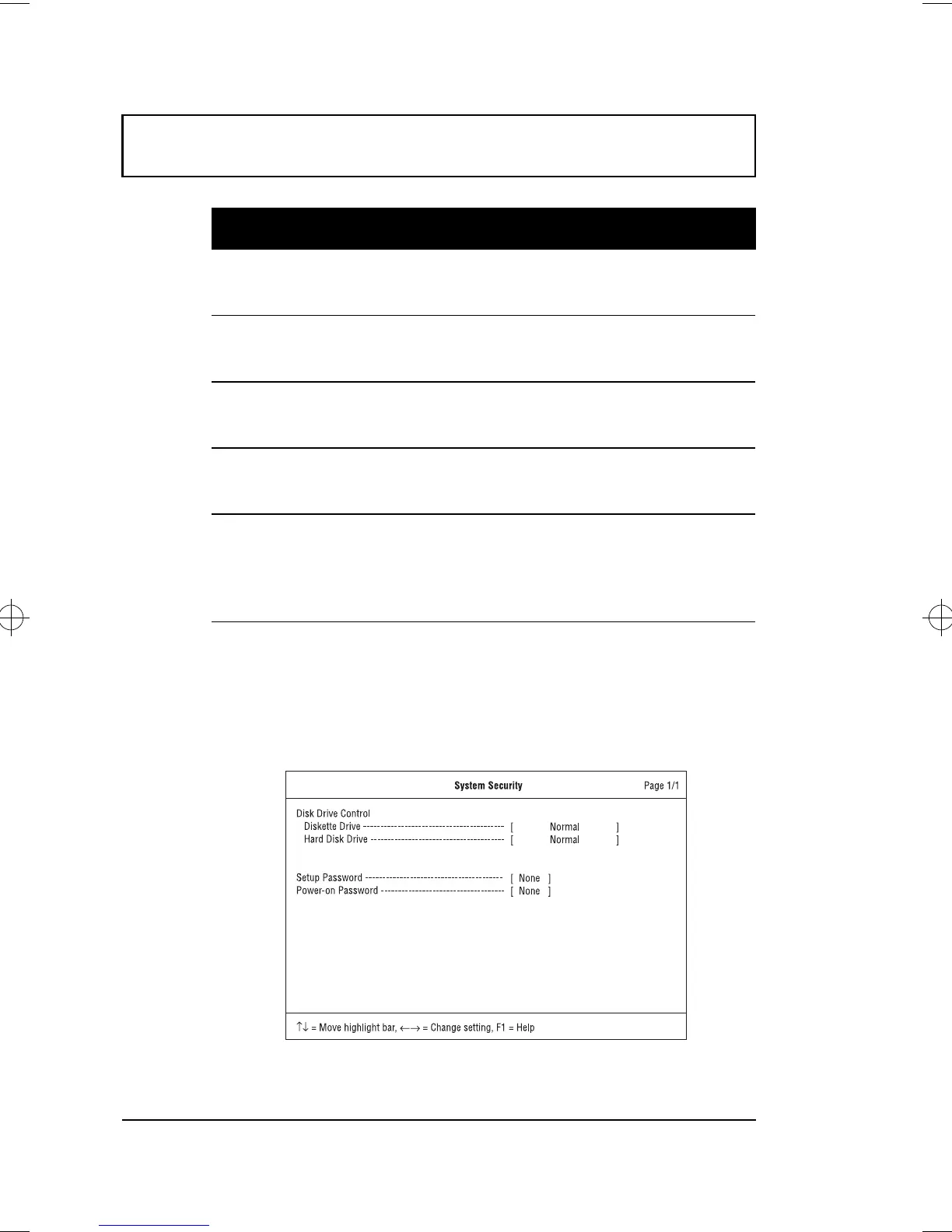
System Security
The System Security screen contains parameters that help
safeguard and protect your computer from unauthorized
use.
Parallel Port Enables or disables the parallel port.
Options: Enabled or Disabled
Base Address Sets the I/O address of the parallel port.
Options: 378h, 278h or 3BCh
IRQ Sets the interrupt request of the parallel port.
Options: 7 or 5
Operation
Mode
Sets the operation mode of the parallel port.
Options: Bi-directional , ECP or Standard
ECP DMA
Channel
Sets a DMA channel for the printer to operate
in ECP mode. This parameter is enabled only
if Operation Mode is set to ECP.
Options: 1 or 3
Parameter Description
500-e.book : 500-5e.fm Page 90 Monday, August 17, 1998 9:36 PM











 To Next Page