External Pointing Device
Chapter 3 Peripherals and Options 45
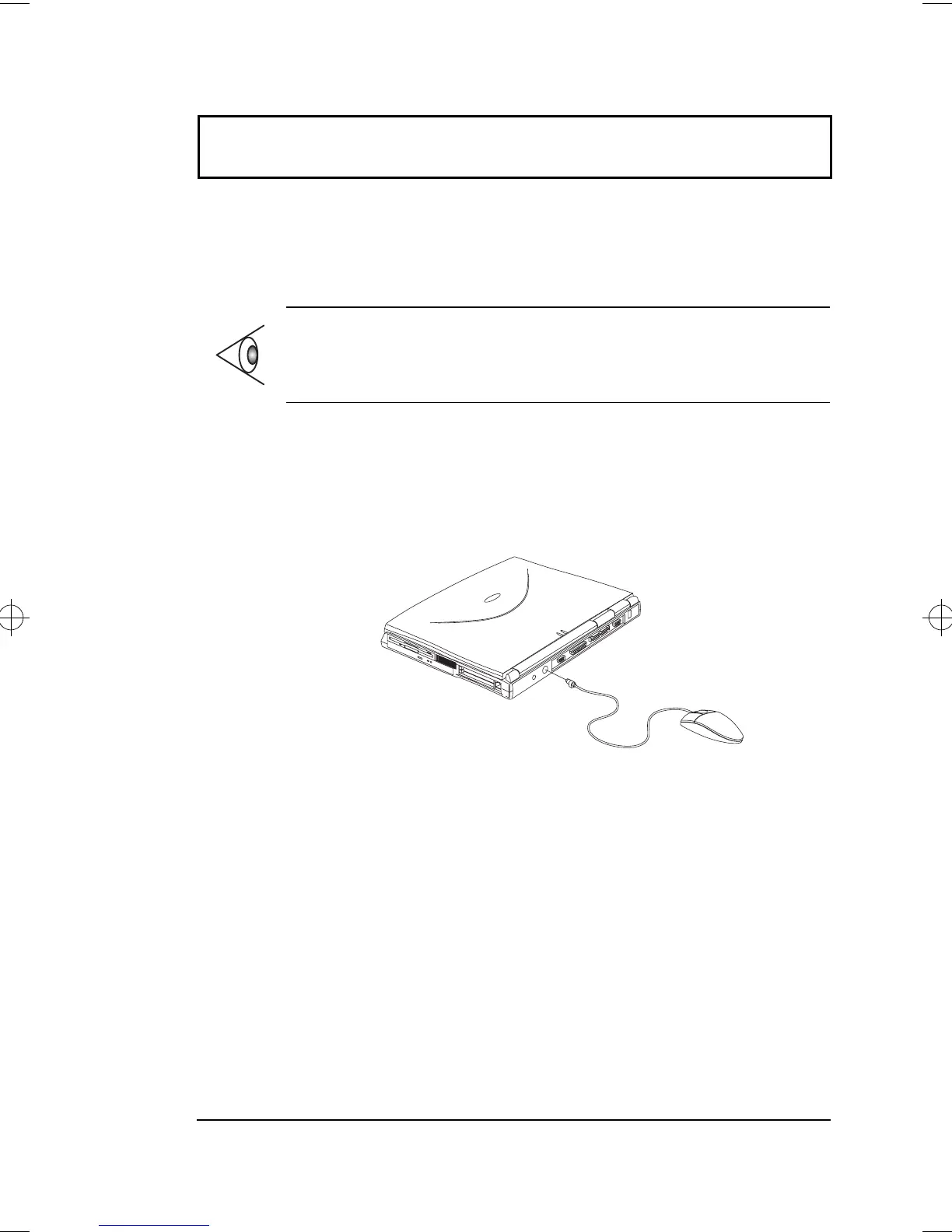
External Pointing Device
This computer accepts either a PS/2-compatible or serial
mouse or similar pointing device.
External PS/2 Mouse
The built-in touchpad works alternately with an external
PS/2 mouse which is hot-pluggable. To use a PS/2-
compatible mouse, simply plug it into the PS/2 port.
Note: When using an external mouse, you may choose to
disable the internal touchpad by pressing Fn-F7.
500-e.book : 500-3e.fm Page 45 Monday, August 17, 1998 9:36 PM




 To Next Page