3. Getting online
3.1 Quick Start
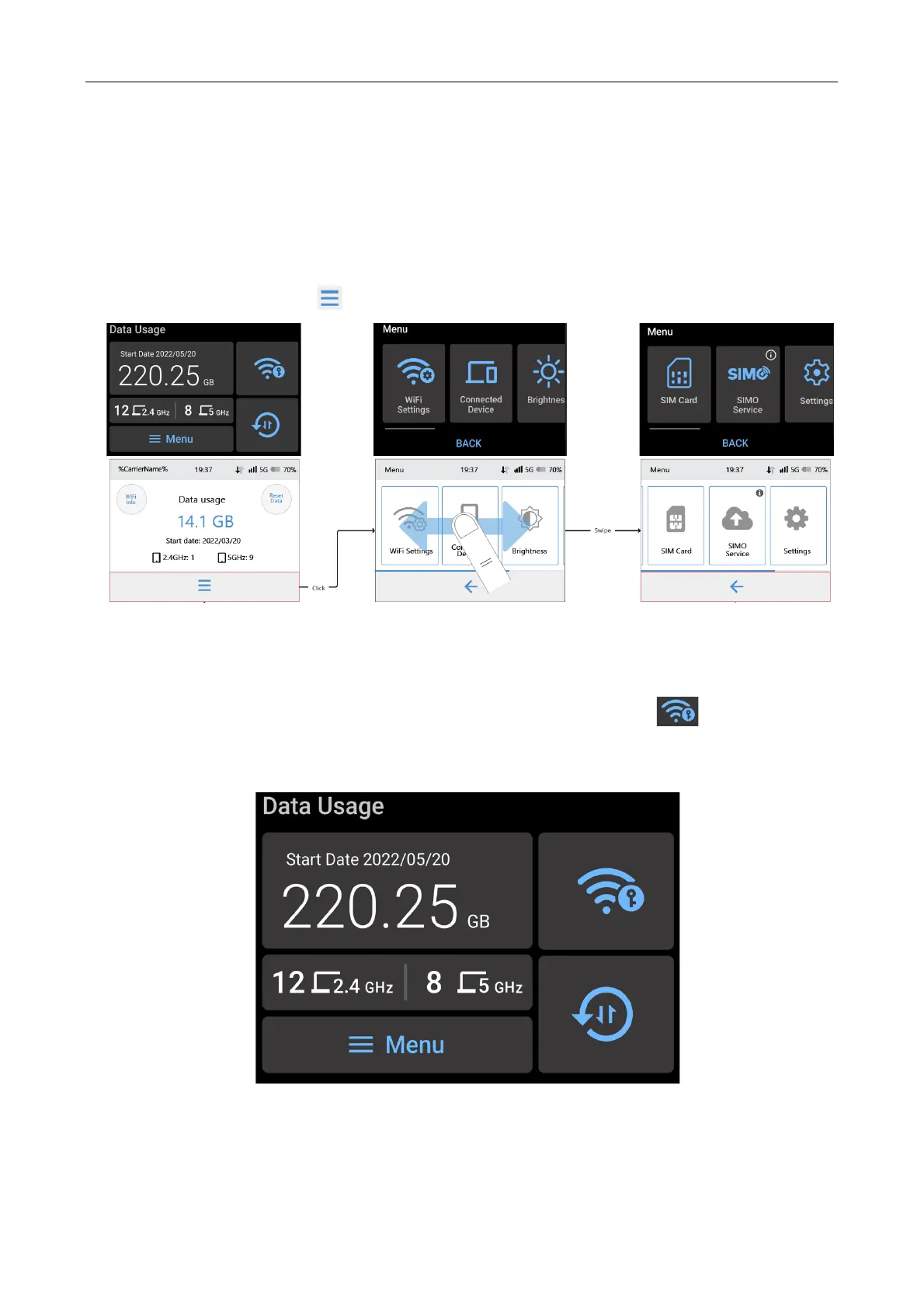
1. If this is the first time you are using or setting up the Acer Connect M3 Mobile Wi-Fi, please
proceed by tapping the “ Menu” icon to bring up the control menu.
From this menu selection page, you can access Wi-Fi Settings, Connected Devices,
Brightness, SIM Card, SIMO Service, and Settings.
2. To connect devices to your Acer Connect M3 Mobile Wi-Fi, tap the “ Wi-Fi Info” icon
on the screen.



 To Next Page