Block a Device
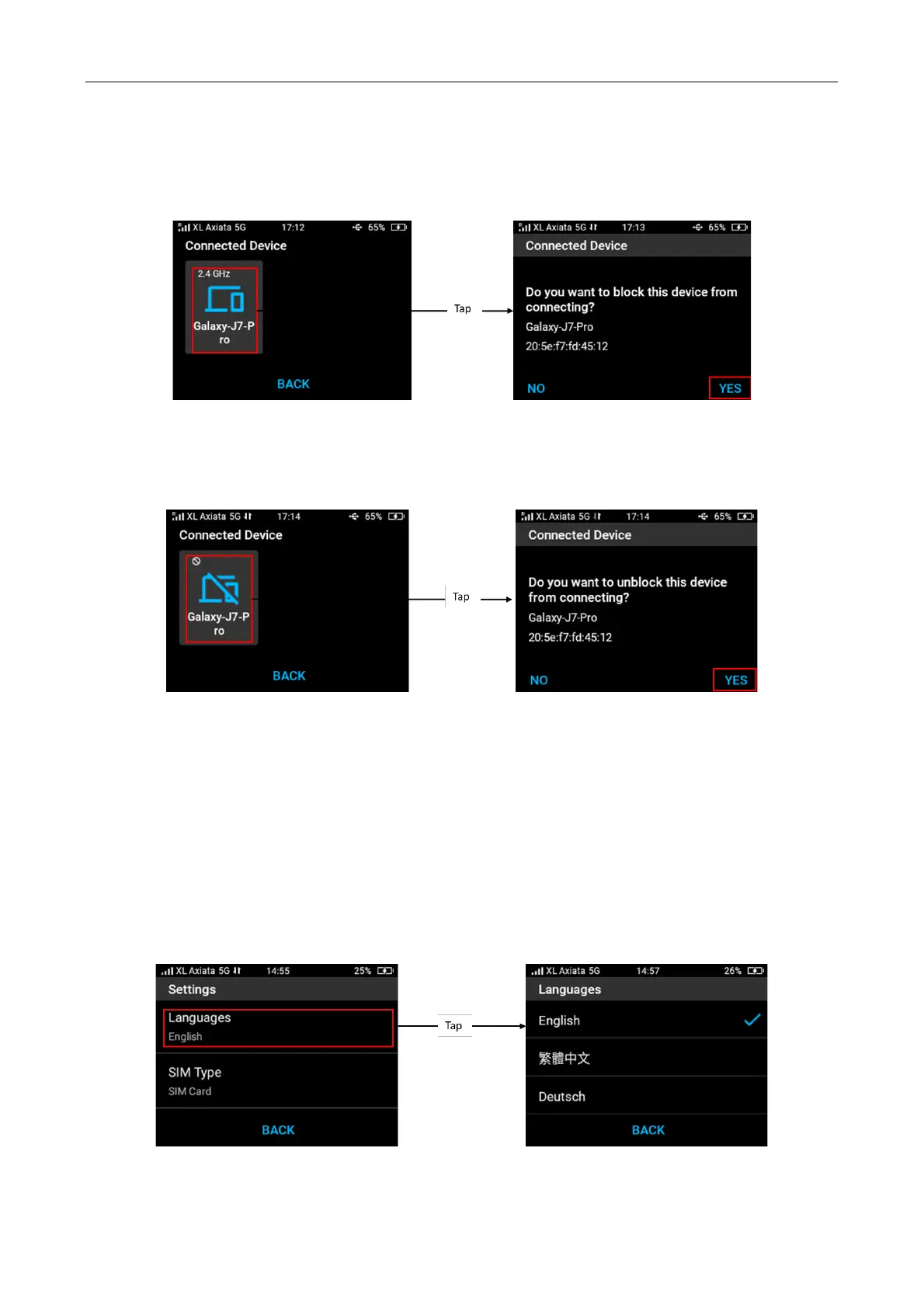
You can prevent a device to access internet via M3 hotspot by block it from listed connected
device. To block a device, tap Menu from home screen > Connected Device > select device you
want block > confirm by tapping “Yes”.
Unblock a Device
You can unblock a blocked device by tapping the selected blocked device and then confirmed by
“Yes” to unblock it.
4.8 Settings
Change Language
You can change the language from Menu > Settings > Language > select your preferred
language.
Languages supported by Acer Connect M3 are English, Traditional Chinese, German, French,
Italian, Spanish, Polish, Czech, Portuguese, Brazilian Portuguese, Latino Spanish, Swedish,
Norwegian, Danish, Finnish, Netherlands, Hungarian, Thai, and Hebrew.



 To Next Page