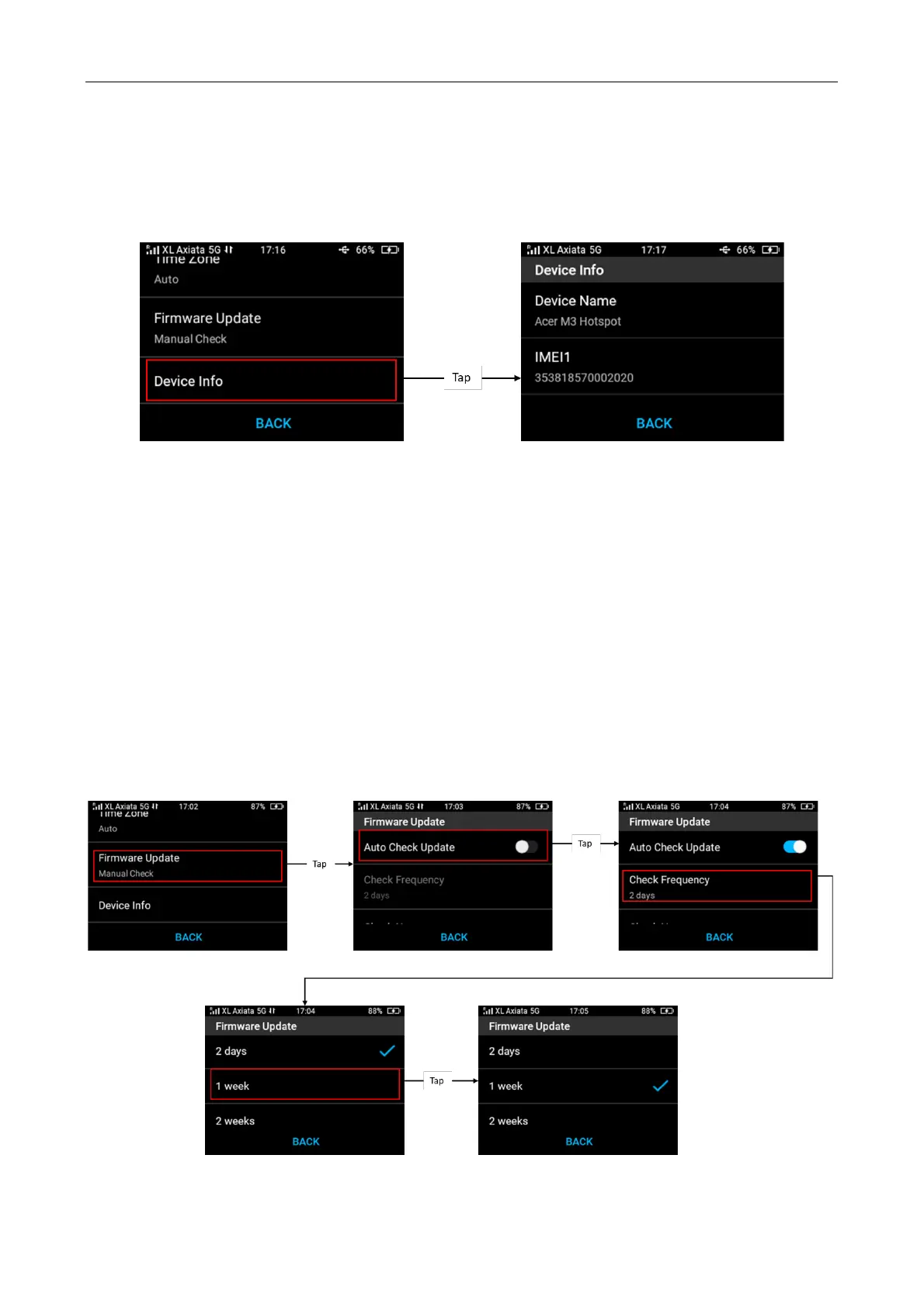
Check Device Information
To check the device info, from Menu > Setting > tap Device Info. It will show you details of the
device such as Device Name, IMEIs, MAC Addresses, Serial Number, SIMO Serial Number,
Software Version and App Version.
4.9 Firmware Update
Change Firmware Update Settings (Manual/Automatic)
You can turn on automatic firmware check update and select the frequency interval (days,
weeks).
From Menu > Setting > Firmware Update > Manual Check > turn on Auto check update >
Select your preferred Check Frequency.
If the Auto Check is On (enabled), tap Auto Check to view the configuration.



 To Next Page