4. Connection Manager App
You can view or change Acer Connect M3 settings from the device touchscreen or by
connecting to the Admin Web UI. This chapter will give you detailed explanation to manage Acer
Connect M3 Mobile Wi-Fi using device touchscreen user interface.
4.1 Home Screen
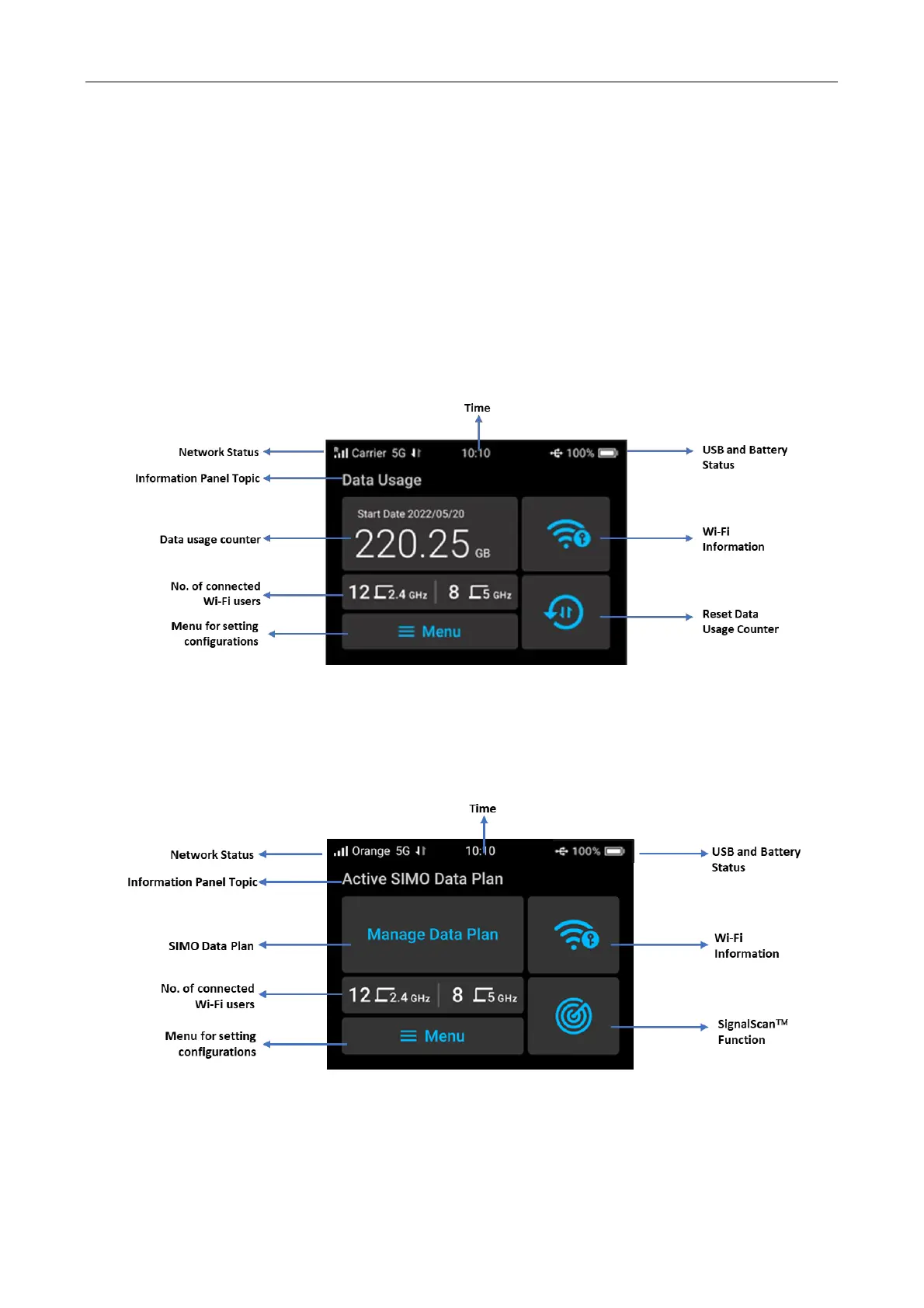
SIM Card
In the SIM card usage scenario, once SIM card has been properly inserted and the network
service is available, if all in normal state, you will see Data Usage as main topic in display screen.
SIMO Service (Virtual SIM)
In the virtual SIM usage scenario, once you have registered to a network supported by SIMO and
the network service is available, the home screen will display status of SIMO data plan and menu
to manage it.
Status Bar (Top of the screen)



 To Next Page