EasyManua.ls Logo

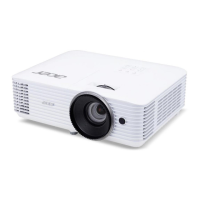
Acer E6300 - User Manual

Acer E6300
81 pages
Print Icon
To Next Page IconTo Next Page
Loading...
Copyright © 2018. Acer Incorporated.
All Rights Reserved.
Acer Projector User's Guide
Original Issue: 03/2018
Acer Projector
H6540BD/H6521BD/X1623H/X168H/X138WH/X128H/X128/
X118H/X118AH/X118/S1386WHN/S1386WH/S1286HN/S1286H/
V6520/S1388WHN/S1388WH/S1288HN/S1288H/E156D/E155F/
D860D/D666D/D626D/D616D/D616/D606D/D606B/D606/
T421DT/T421D/T411DT/T411D/E6300/T423DT/T423D/T413DT/
T413D/HE-806J/HE-802K/EV-WU80H/EV-WU65H/EV-W65H/
EV-X65H/EV-X65/EV-S65H/EV-S65A/EV-S65/XS-W31HG/
XS-W31H/XS-X31HG/XS-X31H/HT-810/XS-W33HG/XS-W33H/
XS-X33HG/XS-X33H/GM532/GM512/V50U/V36U/V36W/V36X/
V36XC/V36S/V36SB/V36SC/V16S/F1386WHN/F1386WH/
F1286HN/F1286H/HV532/F1388WHN/F1388WH/F1288HN/
F1288H/VH-432/VH-412/AU540/AU319/AW319/AX319/
AX319D/AS319/AS319E/AS319D/AS309/SE410L/SE410/SE210L/
SE210/TH-432/SE412L/SE412/SE212L/SE212/DX620/DX612/
DX412/DX212/DX212G/DX112/DX112C/DX112G/DS-310T/
DS-310/DS-110T/DS-110/Z550/DS-312T/DS-312/DS-112T/
DS-112/BS-520/BS-512/BS-312/BS-112/BS-112E/BS-012/BS-012K/
BS-012E/S1286GH/KU330/KU316/KW316/KX316/KX316B/
KS316/KS316A/KS316B/X1223HG/X1286G/X1123HG/X1186G/
D1P1719/D1P1720/DWU1729/DWU1721/DWX1722/DNX1723/
DNX1724/DSV1725/DSV1726/DSV1727/DWX1711/DWX1734/
DNX1712/DNX1713/D1P1804/D1P1718/DWX1809/DWX1737/
DNX1810/DNX1811
User's Guide

Questions and Answers

  • D
    David SanchezSep 12, 2025
    What does it mean if Acer Projector lamp burns out or makes a popping sound?
    • M
      Mrs. Mary GreeneSep 12, 2025
      When the lamp reaches the end of its useful life, it will burn out and may make a loud popping sound. If this happens, the projector will not turn on until the lamp module has been replaced.
  • J
    john40Sep 12, 2025
    How do I fix a reversed image on my Acer E6300?
    • B
      Benjamin AndersonSep 12, 2025
      Select "Image --> Projection Mode" on the OSD and adjust the projection direction.
  • E
    erin55Sep 9, 2025
    Why is the screen of my notebook computer not displaying my presentation on Acer E6300?
    • S
      sabrina62Sep 9, 2025
      If you are using a Microsoft® Windows® based notebook: Some notebook PCs may deactivate their own screens when a second display device is in use. If you are using an Apple® Mac® OS based notebook: In System Preferences, open Display and select Video Mirroring "On".
  • Z
    Zachary FlowersSep 8, 2025
    How to fix Acer Projector image with vertical flickering bar?
    • T
      Theresa DoughertySep 9, 2025
      Use "Frequency" to make an adjustment. Check and reconfigure the display mode of your graphics card to make it compatible with the projector.
  • D
    Daniel ButlerAug 23, 2025
    How to fix Acer E6300 Projector when no image appears on screen?
    • A
      Amy OlsonAug 23, 2025
      First, ensure the projector is connected properly. Check that none of the connector pins are bent or broken. Verify the projector lamp is securely installed. Also, confirm that you've removed the lens cap and the projector is switched on.
  • K
    Kim JordanSep 6, 2025
    What to do if Acer Projector LAN/WiFi, USB Display source show no signal?
    • K
      Kyle RobinsonSep 6, 2025
      If the Acer Projector shows 'No signal' for LAN/WiFi, USB Display source: * Power off the projector and then power it on again.
  • V
    Vincent UnderwoodSep 4, 2025
    What to do if Acer E6300 image is partial or scrolling on notebooks?
    • B
      Brittney WatsonSep 4, 2025
      If you see a partial, scrolling, or incorrectly displayed image on your Acer Projector with notebooks, here’s what to do: * Adjust the resolution of your computer. * Press the toggle output settings. Example: [Fn]+[F4], Compaq [Fn]+[F4], Dell [Fn]+[F8], Gateway [Fn]+[F4], IBM [Fn]+[F7], HP [Fn]+[F4], NEC [Fn]+[F3], Toshiba [Fn]+[F5] * If you experience difficulty changing resolutions or your monitor freezes, restart all equipment including the projector.
  • D
    Danielle HarrisonSep 3, 2025
    Why is the notebook screen not displaying my presentation on Acer E6300?
    • A
      anthony97Sep 3, 2025
      If the notebook computer screen isn't displaying your presentation when connected to the Acer Projector: * For Microsoft® Windows® notebooks: Some may deactivate their screens when a second display is used. Refer to your computer's manual for reactivation. * For Apple® Mac® OS notebooks: In System Preferences, open Display and select Video Mirroring 'On'.
  • J
    jakeballSep 2, 2025
    Why no image appears on Acer Projector?
    • G
      gonzalezeugeneSep 2, 2025
      If you're getting no image on your Acer Projector screen, check the following: * Ensure it's connected as described in the 'Getting Started' section. * Make sure none of the connector pins are bent or broken. * Check if the projector lamp has been securely installed. * Verify that you've removed the lens cap and the projector is switched on.
  • A
    Ann BruceSep 1, 2025
    How to fix partial, scrolling, or incorrectly displayed image on Acer E6300 Projector (for PC (Windows 2000/XP/Vista/ Windows 7/ Windows 8))?
    • Z
      Zachary ParkerSep 1, 2025
      For an incorrectly displayed image: Open "My Computer", open the "Control Panel", and then double-click the "Display" icon. Select the "Settings" tab. Verify that your display resolution setting is lower than or equal to WUXGA-RB (1920 x 1200). Click the "Advanced Properties" button. If the problem still appears, change the monitor display you are using and follow the steps below: Verify that the resolution setting is lower than or equal to WUXGA-RB (1920 x 1200). Click the "Change" button under the "Monitor" tab. Click "Show all devices". Next, select "Standard monitor types" under the SP box, and choose the resolution mode you need under the "Models" box. Verify that the resolution setting of the monitor display is lower than or equal to WUXGA-RB (1920 x 1200).

Acer E6300 Specifications

General IconGeneral
BrandAcer
ModelE6300
CategoryProjector
LanguageEnglish

Related product manuals