1 Getting started
System requirements
1
1 Getting started
This chapter will discuss the following topics:
• Basic requirements
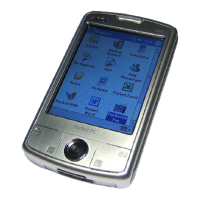
• Feature highlights of your Acer n50
• Acer n50 system tour
• Step-by-step procedures on how to prepare your handheld for use
• Basic concepts in using your handheld
System requirements
In order to install the Microsoft® ActiveSync® software and use your new Acer n50
with a computer at work or at home, be sure the system(s) meet the following
minimum system and program requirements.
•Intel
®
Pentium
®
processor (minimum 233 MHz)
• 64 MB RAM
• 120 MB disk space
•CD-ROM drive
• USB port or Infrared port
• SVGA (or compatible) graphics card supporting 256 colours
• Microsoft® Windows XP, 2000, ME or 98SE
• Microsoft® Internet Explorer 4.01
Features summary
Performance
•Intel
®
PXA27X Application Processor with Intel XScale technology
• System memory:
– 64 MB SDRAM for application storage
– 64 MB / 128 MB Flash ROM for operating system
• Microsoft
®
Windows Mobile
TM
2003 Second Edition with Outlook
®
2002
Display
• 3.5" Transflective TFT LCD
• 240 x 320 resolution
• 65536 colour support
• Microsoft
®
ClearType technology for clearer, crisper font display


 To Next Page