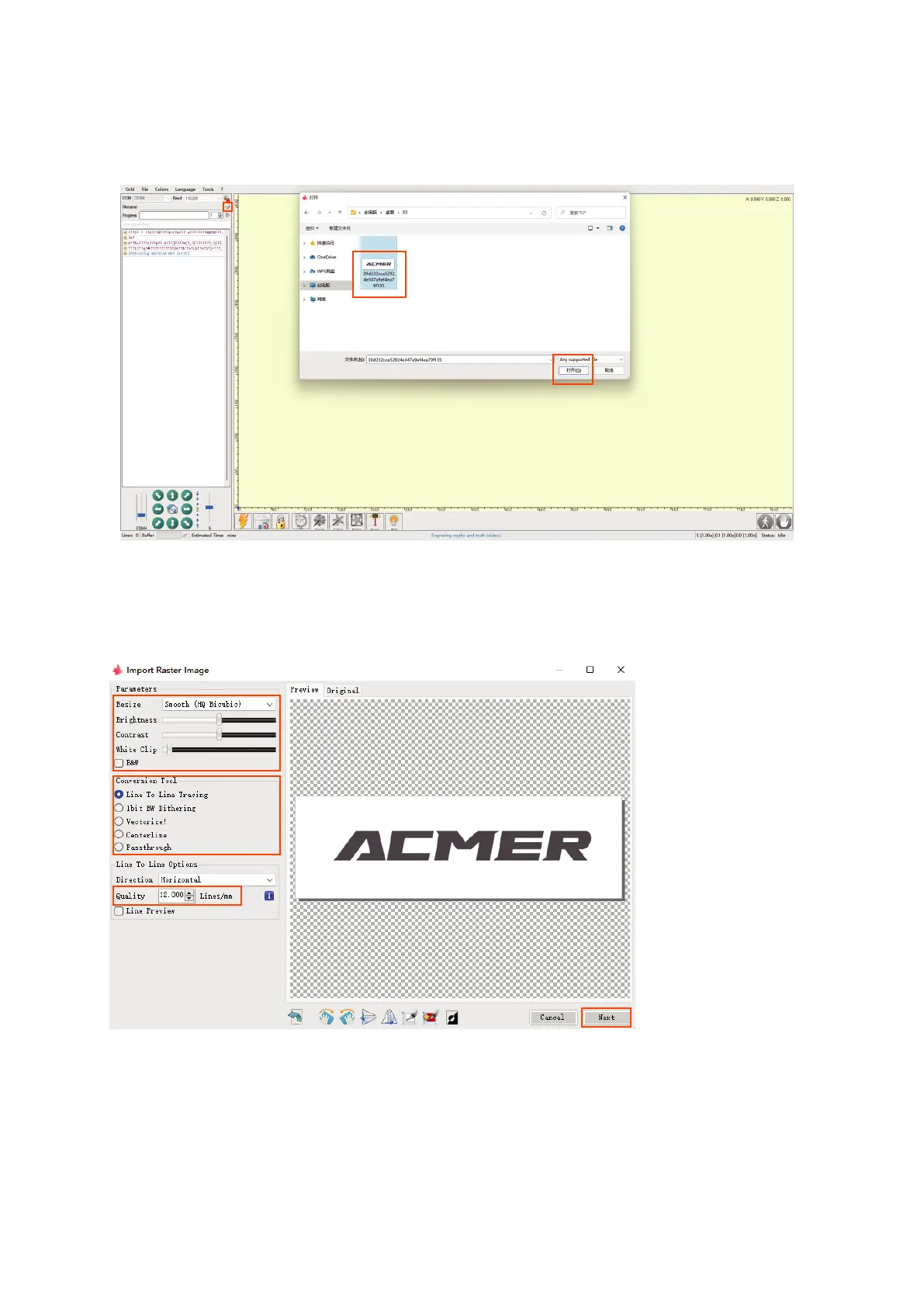
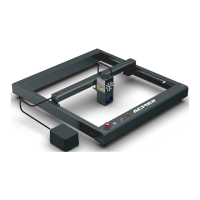
8.1.3 Start engraving
① Click the "Open File" button.
② Select the engraving file.
③ Click "OPEN".
④ Brightness, contrast, black and white limit adjustment.
⑤ Select the engraving mode.
⑥ Adjust the engraving quality (recommended quality setting is about 10).
⑦ Click "NEXT".
①
④
⑤
⑥
⑦
②
③
01 02
03 04
05 06
07 08
09 10
11 12
13
14
15 16
17 18
19 20
21 22
23 24
25 26
27 28
29 30
31 32
33 34



 To Next Page