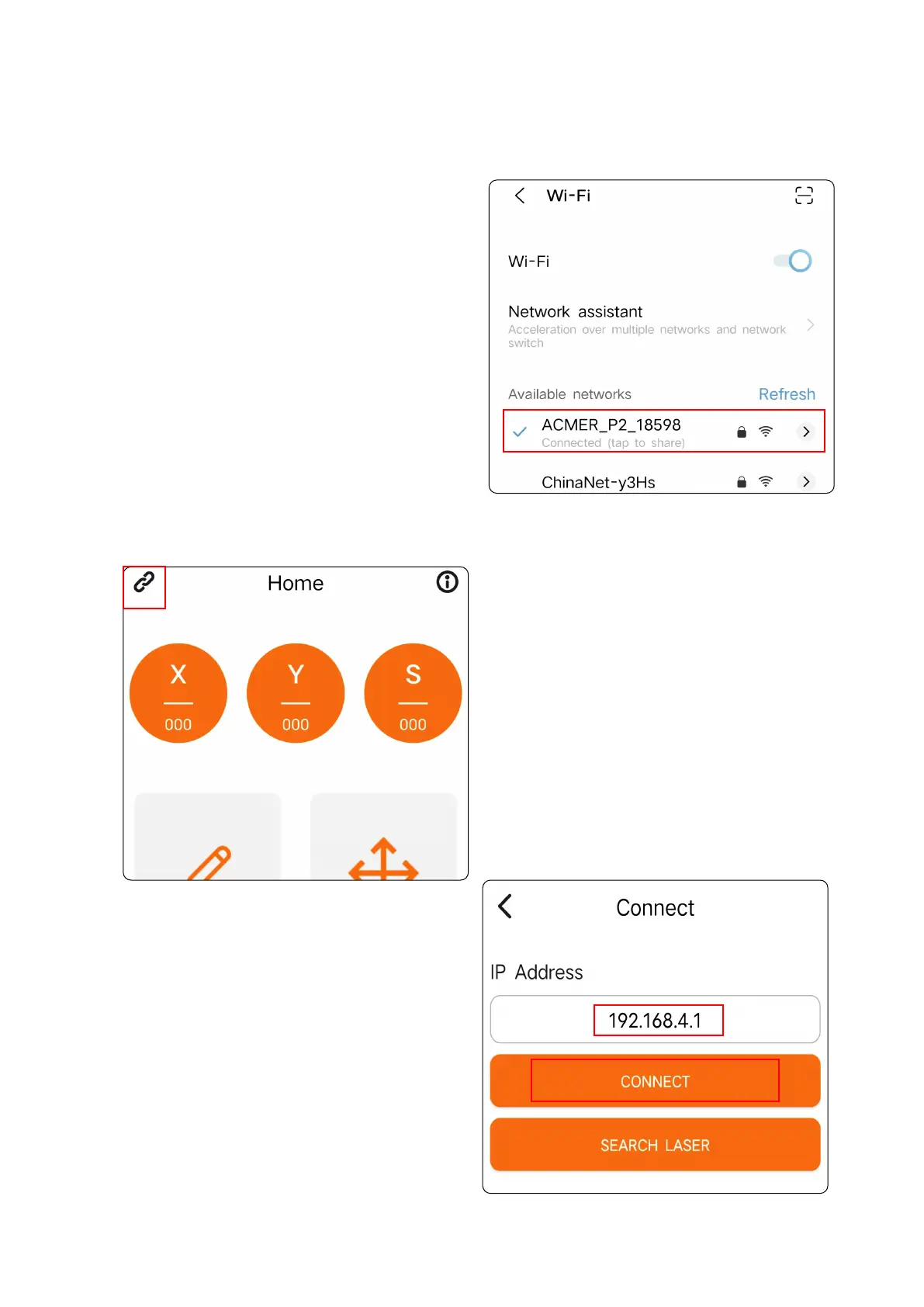
③ Open the mobile app and
click the icon in the upper left
corner.
④ Enter the IP address, and then
click "CONNECT".
Note: The default IP address is
"192.168.4.1", no need to change it.
② Power on the machine, search for
the network name "ACMER_P2_"
through the cell phone WIFI function,
and enter the password to connect. The
initial password is: 12345678
01 02
03 04
05 06
07 08
09 10
11 12
13 14
15 16
17 18
19 20
21 22
23 24
25 26
27 28
29 30
31 32
33 34



 To Next Page