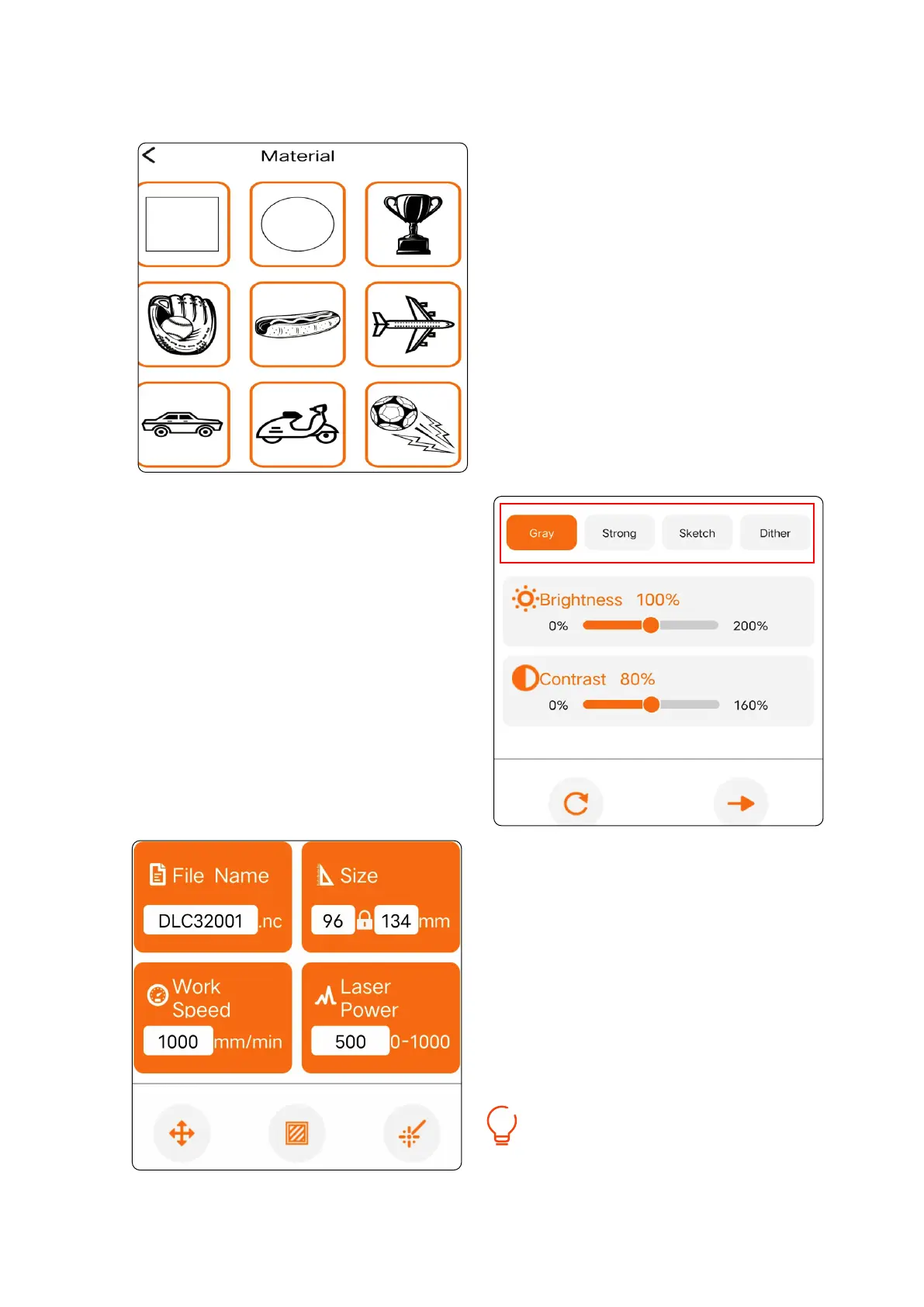
② Select the engraving pattern.
③ Select the engraving mode.
④ Adjust the engraving size and set
the engraving parameters, then
click the bottom right button to
send the data.
We suggest you set the engraving speed
below 8000mm/min for better results!
01 02
03 04
05 06
07 08
09 10
11 12
13 14
15 16
17 18
19 20
21 22
23 24
25 26
27 28
29 30
31 32
33 34



 To Next Page