2.1 Digitizer acquisition mode
Acqiris SA240P User's Manual 19
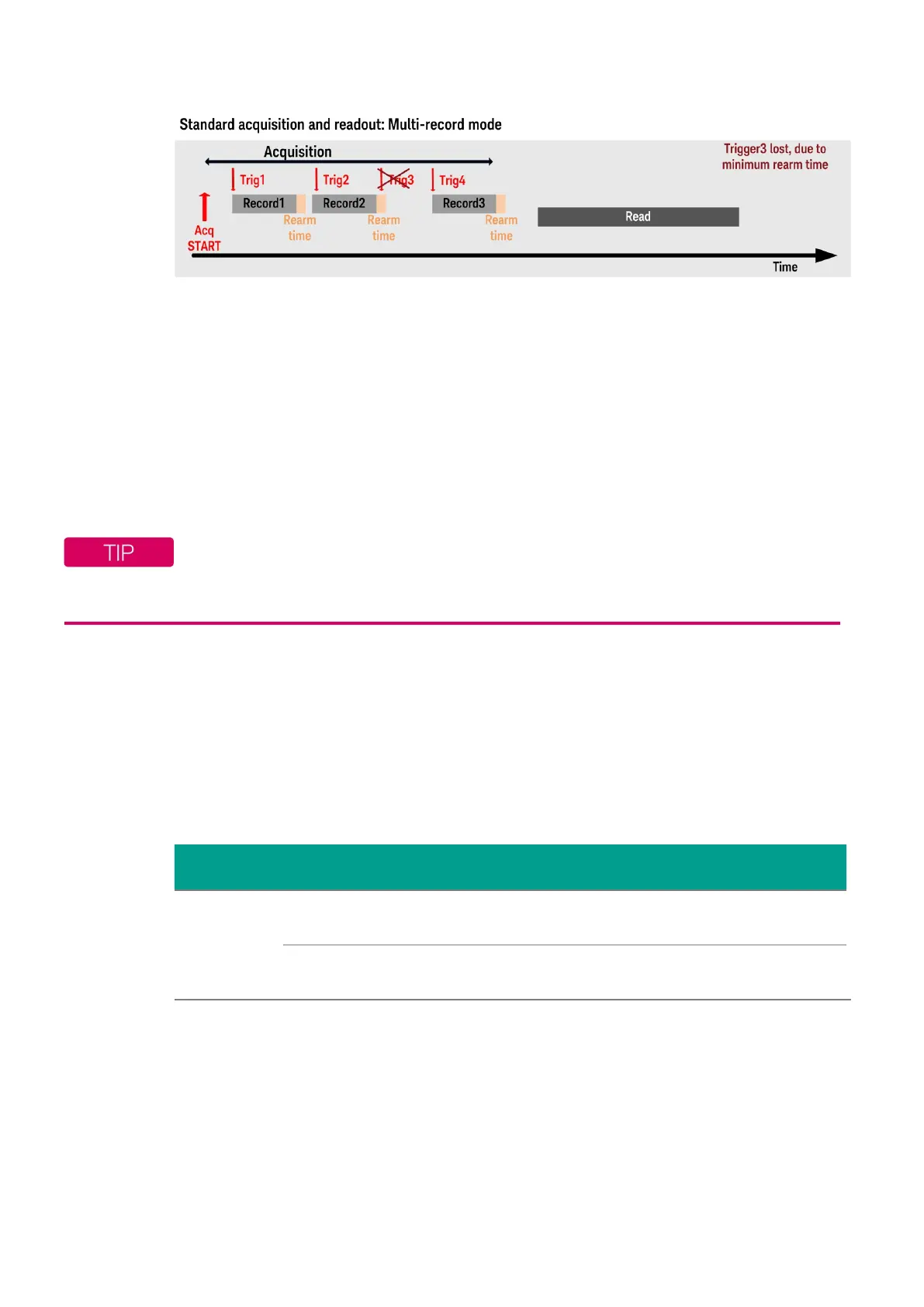
Figure 2.2 - Acquisition sequence using a multi-records. It is possible to miss a trigger at high trigger rate, as
illustrated with trigger 3.
The multi-record acquisition mode enables successive events, occurring within a very short time,
to be captured and stored without loss. A very fast trigger rearm time is a crucial feature for multi-
record acquisitions. Thanks to fast trigger rearm, the SA240P achieves very low “dead time”
between the records of a multi-record acquisition. The “dead time” is the period after the end of an
event when the card cannot accept a new trigger event. The re-arm time is provided in the SA240P
datasheet.
The maximum number of records is 128k.
Program examples for single record or multi-records acquisitions are available:
C:\Program Files\IVI Foundation\IVI\Drivers\AqMD3\Examples
Acquisition memory
Data from the ADC is stored in on-board acquisition memory. The amount of memory in use for
acquisition can be programmed and is selectable from 1 point to the full amount of acquisition
memory available.
Model
Memory option
ordered
Acquisition memory
ordered
Max samples/channel
SA240P
-MEA (default) 4 GB
Dual channel mode: 1 GSamples/ch
Single channel mode: up to 2 GSamples
-MEB (optional) 8 GB
Dual channel mode: 2 GSamples/ch
Single channel mode: up to 4 GSamples
Table 2.1 - Maximum number of samples which can be recorded per channel, depending on ordered memory
option.
For technical reasons, a certain acquisition memory overhead is required for each waveform,
reducing the available memory by a small amount.



 To Next Page