4.1 Baseline stabilization and digital offset
Acqiris SA240P User's Manual 45
4.1 Baseline stabilization and digital offset
This functionality is recommended for time-domain applications needing very stable baseline, e.g.
sequences of pulse.
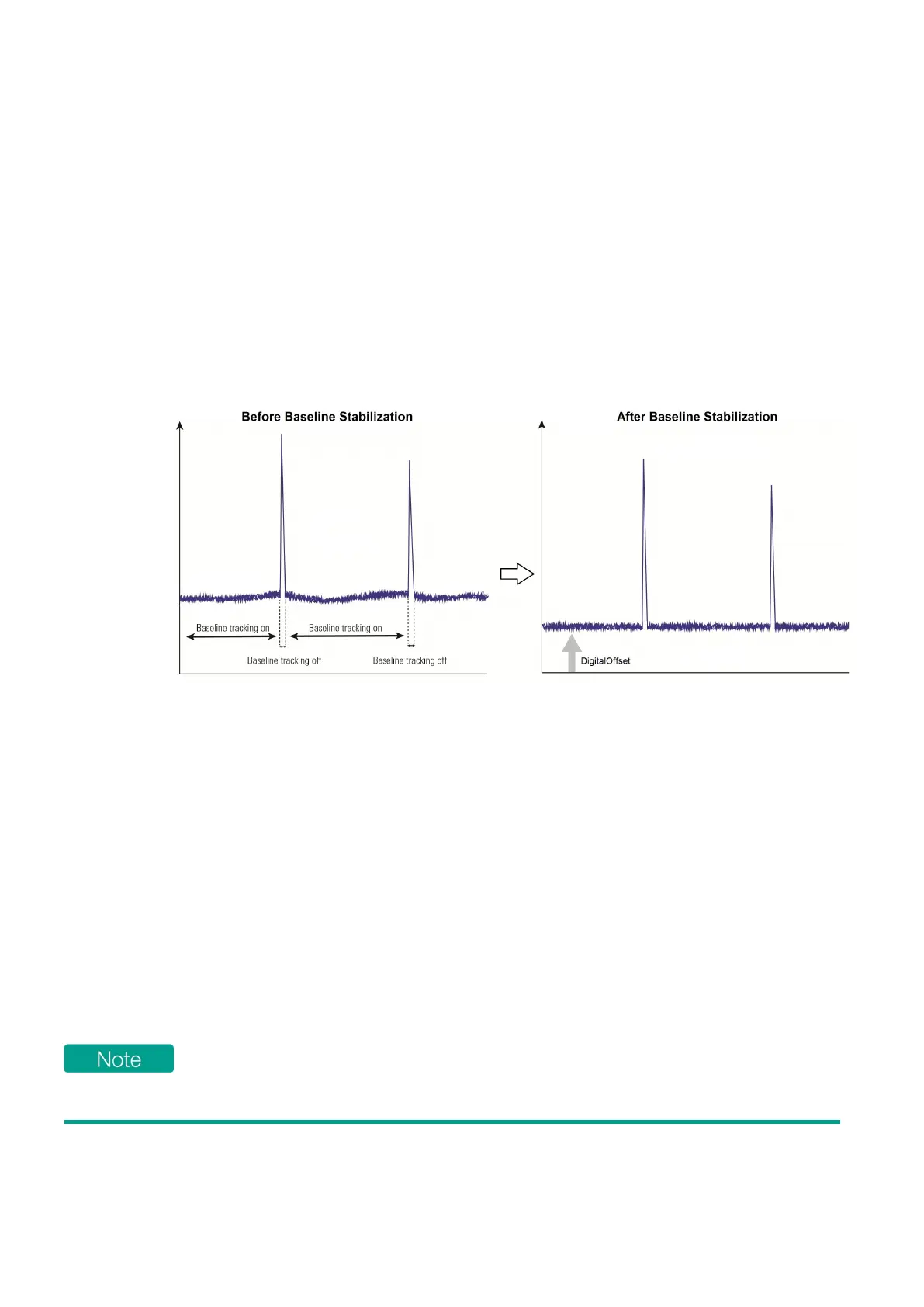
The baseline fluctuation comes from low frequency noise (e.g. 1/f noise in ADC) or from the
measurement side-effects.
The baseline stabilization can be enabled in digitizer mode or in real-time averaging mode.
In addition, a digital offset can be applied after the baseline stabilization.
Figure 4.1 - Continuous baseline stabilization example.
Principle
The baseline stabilization (or baseline correction) is not enabled by default. When activated, the
baseline stabilization algorithm consists in the main following steps:
1. Baseline estimation: The estimated baseline is iteratively adapted to the input data.
The baseline is estimated from samples of the incoming input data, except when a pulse is detected.
2. Baseline correction:
The estimated baseline is subtracted from the input data.
3. (optional) Digital offset:
A configurable offset can be applied.
Only positive pulse polarity is supported. It is possible to use the baseline stabilization on negative
polarity pulses by enabling the channel data inversion capability: the signal will be inverted before
applying the baseline stabilization settings.



 To Next Page