AR-B1579 User's Guide
3-15
3.2.15 DRAM Configuration
It can assemble 16/32/64/128MB 168 pin DIMM Module Memory. When you set up 168-pin DIMM Module Memory,
AR-B1579 will auto-detect DRAM, and adopt correct save order to make memory work till the best situation.
Caution: Set up 168-pin DIMM Module Memory, please insert into slot vertical, if the direction is wrong and it leads to
failure, please confirm the direction is right.
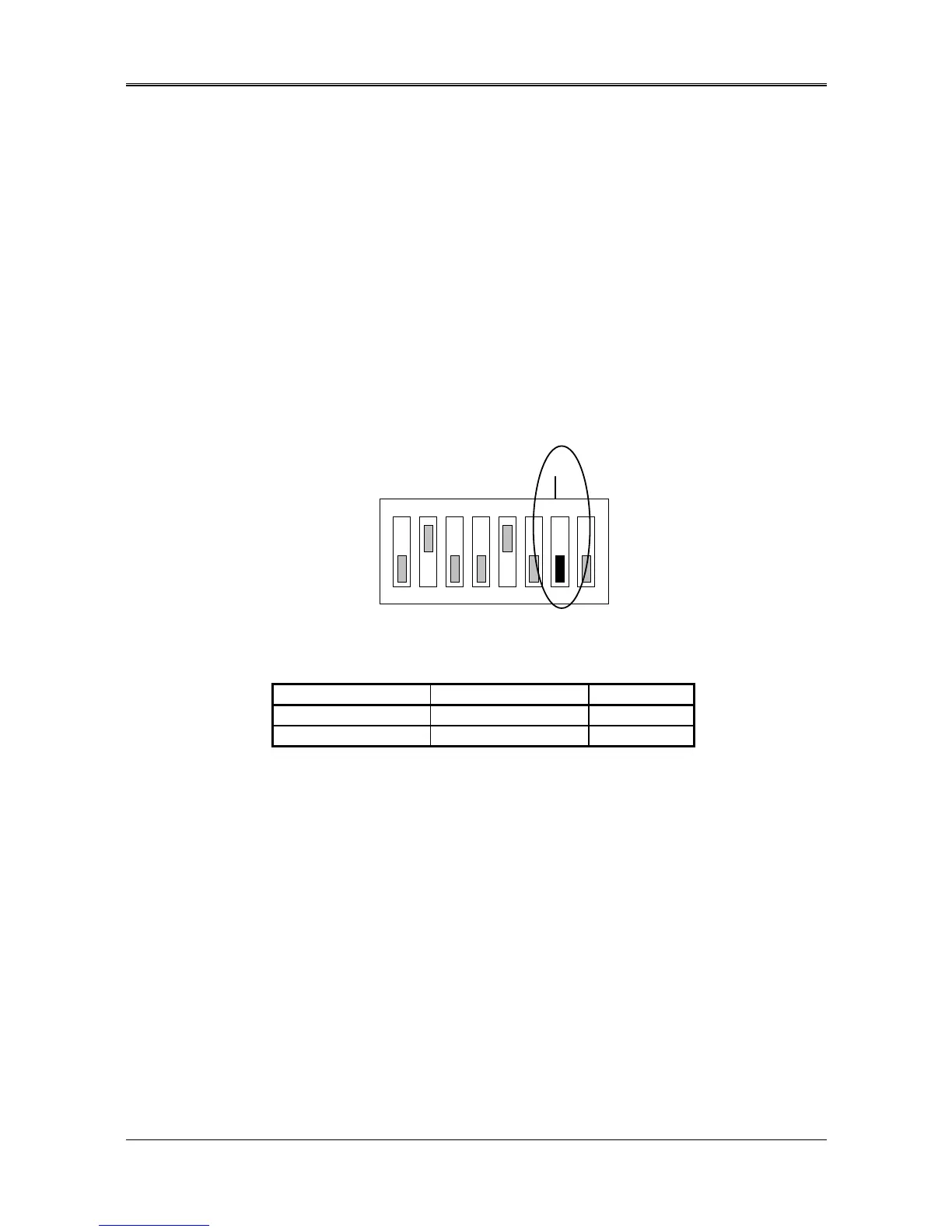
3.2.16 D.O.C. Memory Address Select (SW1-7)
This section provides the information about how to use the D.O.C. (DiskOnChip). There divided two parts:
hardware setting and software configuration.
Step 1:
Use SW1-7 to select the correct D.O.C. memory address.
Step 2:
Insert programmed DiskOnChip into sockets U10 setting as DOC.
Step 3:
Line up and insert the AR-B1579 card into any free slot of your computer.
ON
123456
OFF
SW1-7 -- D.O.C. Memory Address
(Factory Default Setting)
7 8
DOC
Figure 3-31 SW1-7: D.O.C. Memory Address
SW1-7 Address Note
OFF D400 : 0000 Factory Preset
ON D000 : 0000
Table 3-12 D.O.C. Memory Address



 To Next Page