12
1.
Remove the unit and its accessories from their original packaging and place on a flat surface. Not install near
heat sources, direct or indirect.
2.
Verify the contents of the box according to the section
“3.1 PHYSICAL DESCRIPTION”.
3.
Do not kink the motor hose since it may damage it.
4.
All accessories are supplied non-sterile with the exception of tubing.
5.
The serial number on the Unit’s rear panel must be the same as the one on transport documents.
6.
Allow at least 150 mm free space around the unit for cooling ventilation.
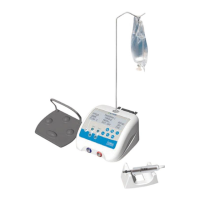
- Place the control unit in position on a fixed surface, horizontal or with a slope of no more than 5°.
- Check that the power switch is in position O (off).
- Connect the power cord to the receptacle of the device.
- Connect the power cord to a socket.
- Connect the control footswitch to the footswitch connector.
- Position the footswitch so that it is easily accessible for your feet.
- Insert the bracket into the bracket holder on the top of the unit.
- Connect the micro-motor and cord to the connector.
- Place the micro-motor on its holder.
- Hang the bottle or bag of physiological saline from the bracket.
4.4 FIRST USE
Before using the I-SURGE for the first time, all the equipment must be given routine maintenance and/or
sterilized according to the procedures defined in chapter X.
V– IRRIGATION SOLUTION
The I-SURGE is not designed to administer drugs. It must be used only with bottles or bags of physiological saline
or sterile water with a capacity not exceeding one liter.
VI– IRRIGATION LINE
The I-SURGE must be used exclusively with disposable sterile irrigation lines distributed by SATELEC.
VII– ADJUSTMENTS / SETTINGS / INTERFACE
7.1 START UP
First switch on
unit screen (Fig. 5)
- The first row shows the Program in use [1 to 5]
- The second row shows “SPEED” – “TORQUE” – “RATIO” related with the values showed in the third row.
- The third row shows the speed in use, the torque in use and the ratio in use.
- The fourth row shows the irrigation flow rate [0-1-2-3] - if the motor is ON or OFF and the motor sense (Forward
or Reverse).














 To Next Page