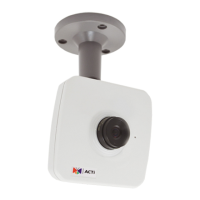
Installation Guide
2
Table of Contents
Installation Procedures ..................................................... 3
Step 1: Install the Gang Box ..................................................................... 3
Step 2: Install the Gang Box Converter ................................................... 4
Step 3: Unpack the Camera ...................................................................... 6
Step 4: Attach the Mounting Plate ............................................................ 7
Step 5: Connect and Install the Camera .................................................. 8
Step 6: Access the Camera Live View ...................................................... 9
Step 7: Adjust the Viewing Angle and Focus .......................................... 9
Step 8: Close the Dome Cover .................................................................. 9
Appendices ....................................................................... 11
How to Access the Camera Live View ..................................................... 11
How to Adjust Focus and Viewing Angle ............................................... 19
D51 / D52 / E51 .................................................................................... 19
D54 / D55 / E52 / E53 / E54 / E56 / E57 / E58 / E59 ............................ 20
Safety Information ............................................................ 21



 To Next Page